WaveEditor Record & Edit Audio
Sound-Base Audio, LLC

4.4 stars24,295 reviews5,000,000+Free
Music & AudioEveryoneVersion 1.130Updated 2/7/2026, 5:29:45 PM
Open in StoreTake Control of Your Audio with WaveEditor
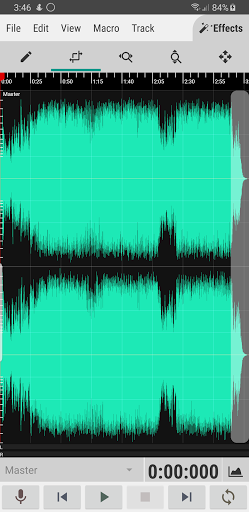
WaveEditor is a comprehensive digital audio editor and recorder designed for mobile devices. It offers a powerful set of tools for both recording new audio and editing existing files. Whether you are a professional or a hobbyist, WaveEditor provides the functionality to handle a wide range of audio tasks.
Core Features:
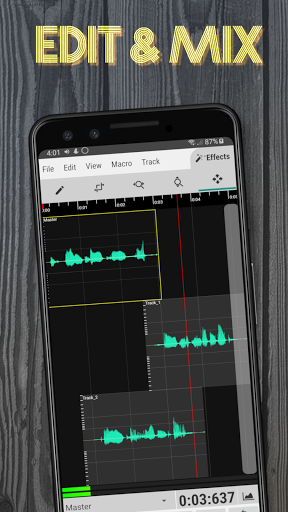
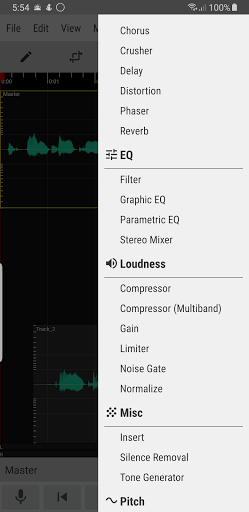
• Multi-Track Editing: A full-featured editor for cutting, copying, pasting, and deleting audio clips. Create complex arrangements by mixing multiple tracks.
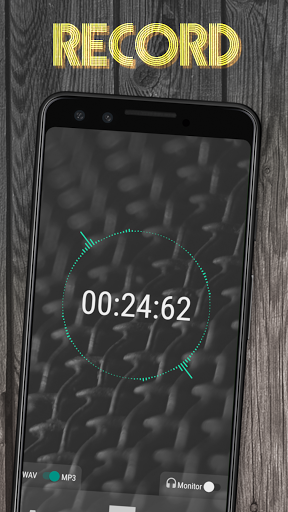
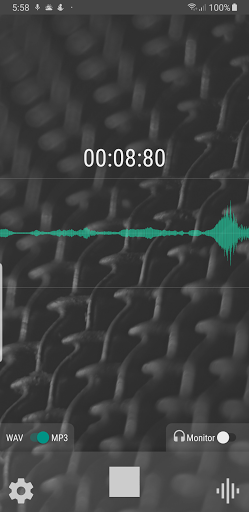
• High-Quality Recording: Record audio directly within the app. The recorder supports external USB microphones for high-fidelity capture.
• Professional Analysis: Analyze your audio with a suite of professional tools, including an FFT, Oscilloscope, Spectrogram, and Vectorscope. This allows for detailed visual inspection of your sound.
• Extensive Format Support: Import and export a variety of audio formats, including WAV, MP3, FLAC, and OGG.
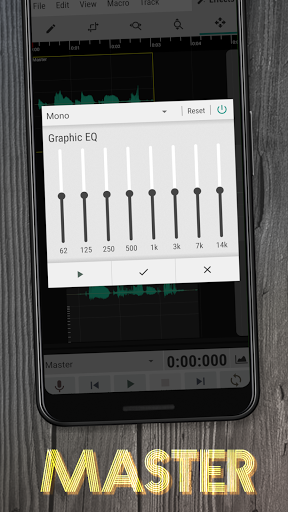
• Built-in Effects: Access a collection of integrated effects like Graphic EQ, Chorus, Reverb, and Normalization to refine your tracks.
Free vs. Pro: The free version of WaveEditor is packed with features, but the Pro version unlocks even more potential:
• No ads: Focus on your audio without interruptions.
• All effects: Access the full suite of audio enhancements, tools, and effects.
• Recorder widget: Quickly start recording from your home screen.
Get Started Today! - Download WaveEditor for Android and see what you can create.
WaveEditor is a comprehensive digital audio editor and recorder designed for mobile devices. It offers a powerful set of tools for both recording new audio and editing existing files. Whether you are a professional or a hobbyist, WaveEditor provides the functionality to handle a wide range of audio tasks.
Core Features:
• Multi-Track Editing: A full-featured editor for cutting, copying, pasting, and deleting audio clips. Create complex arrangements by mixing multiple tracks.
• High-Quality Recording: Record audio directly within the app. The recorder supports external USB microphones for high-fidelity capture.
• Professional Analysis: Analyze your audio with a suite of professional tools, including an FFT, Oscilloscope, Spectrogram, and Vectorscope. This allows for detailed visual inspection of your sound.
• Extensive Format Support: Import and export a variety of audio formats, including WAV, MP3, FLAC, and OGG.
• Built-in Effects: Access a collection of integrated effects like Graphic EQ, Chorus, Reverb, and Normalization to refine your tracks.
Free vs. Pro: The free version of WaveEditor is packed with features, but the Pro version unlocks even more potential:
• No ads: Focus on your audio without interruptions.
• All effects: Access the full suite of audio enhancements, tools, and effects.
• Recorder widget: Quickly start recording from your home screen.
Get Started Today! - Download WaveEditor for Android and see what you can create.
Developer email
help@sbaud.io
Developer website
https://sbaud.ioReleased
Sep 1, 2018
Current version
1.130
Android version
5.0
Reviews & Ratings
4.4
out of 5
5
4
3
2
1
😊 Highly rated by users
24,295 reviewsScreenshots