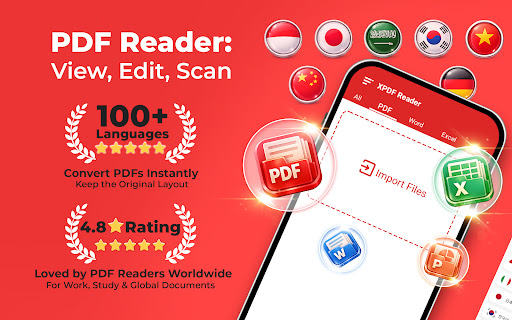
PDF Reader: View, Edit, Scan
Daily Tool Labs

📘 XPDF Reader – Read, Convert & Edit PDFs – All in One
XPDF is a powerful PDF Reader, Converter, and Editor that helps you read, convert, edit, and manage PDF documents – all in one simple app.
Whether you're a student, professional, or everyday user, XPDF gives you the tools to work with PDFs anytime, anywhere.
📖 Smooth PDF Reader & Viewer
Read comfortably, anywhere
Fast opening and rendering
Smooth scrolling and zooming
Search text inside PDFs easily
✍️ Edit, Sign & Annotate
Work with PDFs on the go
Add electronic signatures
Insert images or text
Highlight, underline, and add notes
📄 Manage PDF Pages with Ease
Full control over your documents
Delete, copy, or reorder pages
Merge multiple PDFs into one
Split large PDFs into smaller files
🖼️ Convert PDF & Images
Flexible file conversion
Convert PDF to JPG or PNG
Turn images into high-quality PDFs
Easy sharing and saving
🔐 Protect & Secure Your PDFs
Keep documents safe
Lock and unlock PDFs with passwords
Add text or image watermarks
Protect confidential files
📷 Scan Documents & Add to PDF
Turn your camera into a scanner
Scan receipts, notes, or documents
Add scanned pages directly to existing PDFs
🔍 OCR – Extract Text from Images
Turn images into editable text
Accurate text recognition
Copy, edit, search, and share text from scanned documents
Supports multiple languages
📤 Share & Export with One Tap
Fast and simple sharing
Share via email, messaging apps, or social media
Export as PDF or image files
⭐ Why Choose XPDF?
Read, convert, and edit PDFs – all in one app
Clean, simple, and user-friendly design
Powerful tools for work, study, and daily tasks
XPDF – Smart, fast, and reliable.
Download now and simplify your PDF workflow!
XPDF is a powerful PDF Reader, Converter, and Editor that helps you read, convert, edit, and manage PDF documents – all in one simple app.
Whether you're a student, professional, or everyday user, XPDF gives you the tools to work with PDFs anytime, anywhere.
📖 Smooth PDF Reader & Viewer
Read comfortably, anywhere
Fast opening and rendering
Smooth scrolling and zooming
Search text inside PDFs easily
✍️ Edit, Sign & Annotate
Work with PDFs on the go
Add electronic signatures
Insert images or text
Highlight, underline, and add notes
📄 Manage PDF Pages with Ease
Full control over your documents
Delete, copy, or reorder pages
Merge multiple PDFs into one
Split large PDFs into smaller files
🖼️ Convert PDF & Images
Flexible file conversion
Convert PDF to JPG or PNG
Turn images into high-quality PDFs
Easy sharing and saving
🔐 Protect & Secure Your PDFs
Keep documents safe
Lock and unlock PDFs with passwords
Add text or image watermarks
Protect confidential files
📷 Scan Documents & Add to PDF
Turn your camera into a scanner
Scan receipts, notes, or documents
Add scanned pages directly to existing PDFs
🔍 OCR – Extract Text from Images
Turn images into editable text
Accurate text recognition
Copy, edit, search, and share text from scanned documents
Supports multiple languages
📤 Share & Export with One Tap
Fast and simple sharing
Share via email, messaging apps, or social media
Export as PDF or image files
⭐ Why Choose XPDF?
Read, convert, and edit PDFs – all in one app
Clean, simple, and user-friendly design
Powerful tools for work, study, and daily tasks
XPDF – Smart, fast, and reliable.
Download now and simplify your PDF workflow!
Developer email
publisher@vnpublisher.com
Developer website
https://vnpublisher.comReleased
Jun 12, 2026
Current version
1.0.29
Android version
8.0
Screenshots