ElsterSecure - sicherer Login
ELSTER - Bayerisches Landesamt für Steuern

4.1 stars8,779 reviews1,000,000+Free
FinanceEveryoneVersion 26.1.1Updated 3/9/2026, 1:51:20 PM
Open in StoreElsterSecure is the new authentication app from ELSTER.
Once set up, all you need to log in is your smartphone. You no longer need a certificate file or a user name after the initial setup.
How to set up ElsterSecure:
Log in to MeinElster as usual.
Go to "My Account".
Under “Add ElsterSecure login option” you can link the app with your MeinElster account.
If you do not yet have a MeinElster account, you can register at www.elster.de and select ElsterSecure as your login option.
Note: Authentication using ElsterSecure is currently only possible for logging into MeinElster. Third-party transmission is not yet supported.
ElsterSecure requires the following permissions:
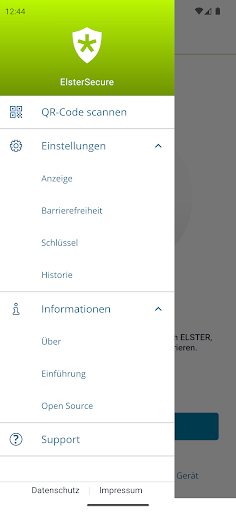
Access to the device's camera(s): This permission is required to scan the QR code.
Data protection information can be found at https://www.elster.de/eportal/helpGlobal?themaGlobal=datenschutz_public
Once set up, all you need to log in is your smartphone. You no longer need a certificate file or a user name after the initial setup.
How to set up ElsterSecure:
Log in to MeinElster as usual.
Go to "My Account".
Under “Add ElsterSecure login option” you can link the app with your MeinElster account.
If you do not yet have a MeinElster account, you can register at www.elster.de and select ElsterSecure as your login option.
Note: Authentication using ElsterSecure is currently only possible for logging into MeinElster. Third-party transmission is not yet supported.
ElsterSecure requires the following permissions:
Access to the device's camera(s): This permission is required to scan the QR code.
Data protection information can be found at https://www.elster.de/eportal/helpGlobal?themaGlobal=datenschutz_public
Developer email
info@elster.de
Developer website
https://www.elster.de/eportal/startReleased
Nov 25, 2022
Current version
26.1.1
Android version
9
Reviews & Ratings
4.1
out of 5
5
4
3
2
1
⚠️ Users report mixed experiences
8,779 reviewsScreenshots