Dual Space: Multi App Clone
Dual Space Team

4.4 stars4,348 reviews1,000,000+Free
ToolsEveryoneVersion 1.90-211.1.20Updated 5/29/2026, 11:55:29 AM
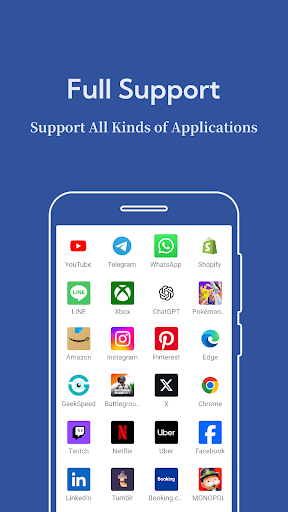
Open in StoreDual Space is a convenient and secure tool that helps you clone apps and run multiple accounts on one Android device. Whether for games, social apps, or productivity tools, you can switch between different accounts without logging in and out each time.
Dual Space creates a separate space on your device, allowing each cloned app to operate independently. This enables smooth multitasking while keeping data and app settings isolated from each other.
Key Features:
- Multiple Account Login: Use two or more accounts for the same app at once
- App Cloning: Easily duplicate supported apps without rooting your device
- Independent Storage: Each app runs in its own secure environment
- Fast Switching: Quickly switch between main and cloned apps
- Lightweight: Small size and optimized performance
- No Root Required: Simple and safe to use on most Android phones
Use Scenarios:
- Manage different profiles in a game to level up faster
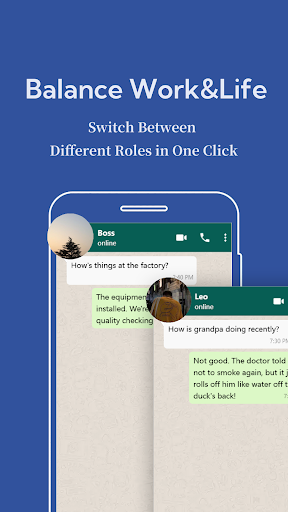
- Keep work and personal accounts separate
- Use multiple messaging accounts simultaneously
- Stay active on several social communities
Privacy and Safety First
Dual Space is designed with user privacy in mind. Your data stays secure, and app activity in the cloned space is kept separate. No rooting is needed, and we ensure stable, secure operation across a wide range of devices.
Whether you’re balancing personal and professional life or managing multiple accounts for games and apps, Dual Space gives you the flexibility and control to do more with your device.
Dual Space creates a separate space on your device, allowing each cloned app to operate independently. This enables smooth multitasking while keeping data and app settings isolated from each other.
Key Features:
- Multiple Account Login: Use two or more accounts for the same app at once
- App Cloning: Easily duplicate supported apps without rooting your device
- Independent Storage: Each app runs in its own secure environment
- Fast Switching: Quickly switch between main and cloned apps
- Lightweight: Small size and optimized performance
- No Root Required: Simple and safe to use on most Android phones
Use Scenarios:
- Manage different profiles in a game to level up faster
- Keep work and personal accounts separate
- Use multiple messaging accounts simultaneously
- Stay active on several social communities
Privacy and Safety First
Dual Space is designed with user privacy in mind. Your data stays secure, and app activity in the cloned space is kept separate. No rooting is needed, and we ensure stable, secure operation across a wide range of devices.
Whether you’re balancing personal and professional life or managing multiple accounts for games and apps, Dual Space gives you the flexibility and control to do more with your device.
Developer email
gkspacedev@gmail.com
Developer website
https://dualspacedev.github.io/Released
Apr 29, 2024
Current version
1.90-211.1.20
Android version
7.0
Reviews & Ratings
4.4
out of 5
5
4
3
2
1
🙂 Mostly positive reviews
4,348 reviewsScreenshots