Table Tennis Scoreboard
肖逸飞

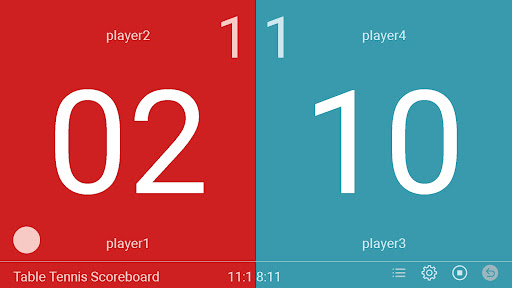
Click on the left to add points to the first team, and click on the right to add points to the second team. Before the start of the first game, you can click the table tennis icon to switch the server.
Enhanced Version for Google Play:
Easily track scores for two teams with a simple tap – press the left side of the screen to increase the first team's points, and the right side for the second team. Intuitive controls make scoring fast and error‑free during intense matches.
Before the first game begins, tap the table tennis icon to swap serving sides, ensuring fair play from the very start. The app also supports singles and doubles modes, automatic service position switching in doubles, timeout and break management, and a persistent score history. Whether you're organizing a casual game or a tournament, our scoreboard delivers a clear, professional experience right on your device.
Enhanced Version for Google Play:
Easily track scores for two teams with a simple tap – press the left side of the screen to increase the first team's points, and the right side for the second team. Intuitive controls make scoring fast and error‑free during intense matches.
Before the first game begins, tap the table tennis icon to swap serving sides, ensuring fair play from the very start. The app also supports singles and doubles modes, automatic service position switching in doubles, timeout and break management, and a persistent score history. Whether you're organizing a casual game or a tournament, our scoreboard delivers a clear, professional experience right on your device.
Developer email
cn.xiaowen@gmail.com
Developer website
http://xiaoyifei.comReleased
Feb 12, 2023
Current version
10.1
Android version
8.0
Reviews & Ratings
3.8
out of 5
5
4
3
2
1
⚠️ Users report mixed experiences
119 reviewsScreenshots