NXV70 Flora Spring Watch Face
NXV Watch Face

3.6 stars22 reviews1,000+$1.59
PersonalizationEveryoneVersion VARYUpdated 9/20/2025, 3:26:07 AM
Open in StoreIf you need help with installation please visit:
https://nxvwatchface.com/help
[For Wear OS devices]
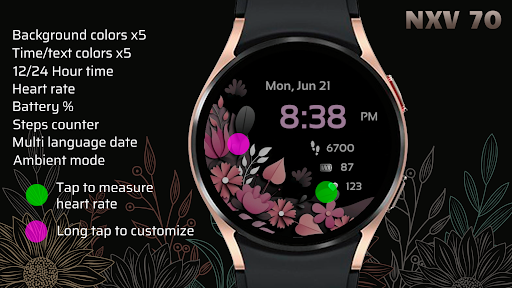
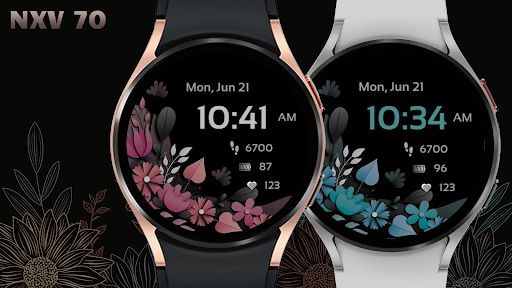
Elegant, stylish and colorful ladies watch face with the following features:
• 5 background color customization options (long tap watch face to customize)
• 5 digital time color options (long tap watch face to customize)
• 12/24 hour time
• Steps counter
• Heart rate (10 minute measurement interval or tap on heart rate icon to take manual measurement)
• Day & date (multi language)
• Battery percentage
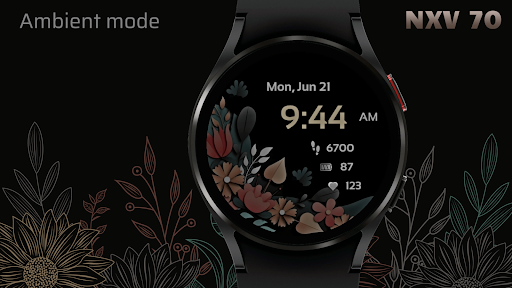
• Ambient mode
Steps for correct installation.
Always make sure your watch is paired to your phone when installing.
Pairing with Wi-Fi works best. You must also use the same Gmail account for Play store purchase and watch device.
When it says "installing soon" please wait at least 5 minutes then check your watch to see if installation is complete.
Another option is to install directly from your watch.
Go to Play store app on your watch and search the watch face name "NXV70" then try to install directly from your watch.
Please note you will only get charged once even if you attempt to download again if you are using same Gmail account.
Visit web page for more watch faces here:
https://nxvwatchface.com/wear-os-watches
https://nxvwatchface.com/help
[For Wear OS devices]
Elegant, stylish and colorful ladies watch face with the following features:
• 5 background color customization options (long tap watch face to customize)
• 5 digital time color options (long tap watch face to customize)
• 12/24 hour time
• Steps counter
• Heart rate (10 minute measurement interval or tap on heart rate icon to take manual measurement)
• Day & date (multi language)
• Battery percentage
• Ambient mode
Steps for correct installation.
Always make sure your watch is paired to your phone when installing.
Pairing with Wi-Fi works best. You must also use the same Gmail account for Play store purchase and watch device.
When it says "installing soon" please wait at least 5 minutes then check your watch to see if installation is complete.
Another option is to install directly from your watch.
Go to Play store app on your watch and search the watch face name "NXV70" then try to install directly from your watch.
Please note you will only get charged once even if you attempt to download again if you are using same Gmail account.
Visit web page for more watch faces here:
https://nxvwatchface.com/wear-os-watches
Installation issues are not developer related, please before leaving negative rating contact us via email so we can help you.
Email: nxvwatchface@gmail.comDeveloper email
nxvwatchface@gmail.com
Developer website
https://nxvwatchface.comReleased
Nov 30, 2021
Current version
VARY
Android version
VARY
Reviews & Ratings
3.6
out of 5
5
4
3
2
1
😐 Reviews are mixed
22 reviewsScreenshots