TMF17
Timefy™

4.2 stars121 reviews1,000+$1.99
PersonalizationEveryoneVersion VARYUpdated 7/23/2025, 3:53:08 PM
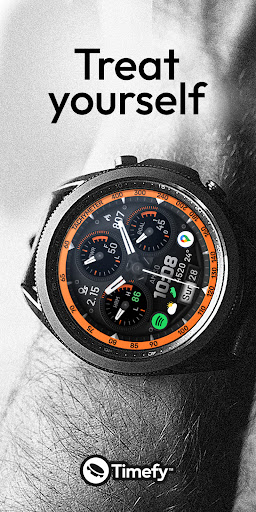
Open in StoreTreat yourself.
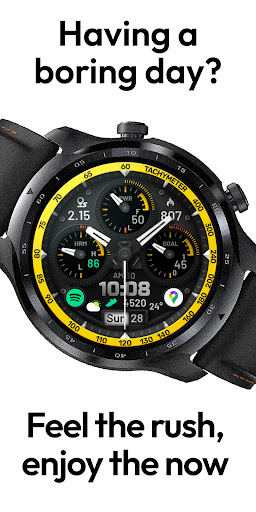
Having a boring day?
Feel the rush, enjoy the now
Unlock your bold side,
your style won't be overlooked.
- - - - - - - - - - - - - - - - -
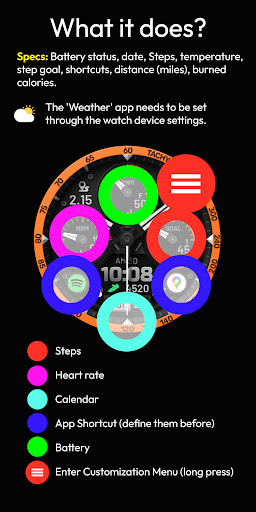
SPECS:
Battery status, date, Steps, temperature, step goal, shortcuts, distance (miles), colors, burned calories.
- - - - - - - - - - - - - - - - -
About our dirty hands:
→ Telegram: https://t.me/timefywearos
or
→ Join our free newsletter: https://forms.gle/CuwknyRnDFSTGCdV7
- - - - - - - - - - - - - -
For all Wear OS devices.
Installation:
Buy the app and Install it on your Phone.
Open "TMF17"
Tap on the "Install on Watch" button.
In your Watch, tap the "Install" button.
Then you can go to the app which manages your Watch device on your Phone.
Go to Watch Faces, then scroll down to "downloads", and tap over the "TMF17" app.
That is it!
If you need help with installation, please email: david@timefy.us
Remarks:
Always make sure your watch is paired to your phone when installing.
When it says "installing soon," please wait 3-4 minutes, then check your watch to see if the installation is complete.
Have a great day.
TIMEFY™
Having a boring day?
Feel the rush, enjoy the now
Unlock your bold side,
your style won't be overlooked.
- - - - - - - - - - - - - - - - -
SPECS:
Battery status, date, Steps, temperature, step goal, shortcuts, distance (miles), colors, burned calories.
- - - - - - - - - - - - - - - - -
About our dirty hands:
→ Telegram: https://t.me/timefywearos
or
→ Join our free newsletter: https://forms.gle/CuwknyRnDFSTGCdV7
- - - - - - - - - - - - - -
For all Wear OS devices.
Installation:
Buy the app and Install it on your Phone.
Open "TMF17"
Tap on the "Install on Watch" button.
In your Watch, tap the "Install" button.
Then you can go to the app which manages your Watch device on your Phone.
Go to Watch Faces, then scroll down to "downloads", and tap over the "TMF17" app.
That is it!
If you need help with installation, please email: david@timefy.us
Remarks:
Always make sure your watch is paired to your phone when installing.
When it says "installing soon," please wait 3-4 minutes, then check your watch to see if the installation is complete.
Have a great day.
TIMEFY™
Developer email
david@timefy.us
Developer website
http://www.timefy.usReleased
Jan 3, 2024
Current version
VARY
Android version
VARY
Reviews & Ratings
4.2
out of 5
5
4
3
2
1
⚠️ Users report mixed experiences
121 reviewsScreenshots