Pixel Style Digital Watch Face
Minimalistic Watch Faces

4.1 stars21 reviews1,000+$0.99
PersonalizationEveryoneVersion VARYUpdated 8/2/2025, 9:44:56 PM
Open in StoreIMPORTANT #1: To use the watch face you must:
1. Hold down on your current watch face to enter selection mode.
2. Scroll to the right until you see "+" and click on it.
3. Scroll until you see "Pixel Style Digital", and select it.
4. Read "IMPORTANT #2".
IMPORTANT #2: Make sure you allow all permissions requested! In case you accidentally denied access to health data, restart your watch. To do this, you just need to power your watch off and turn it back on.
Features:
• 24hr/12hr time switching
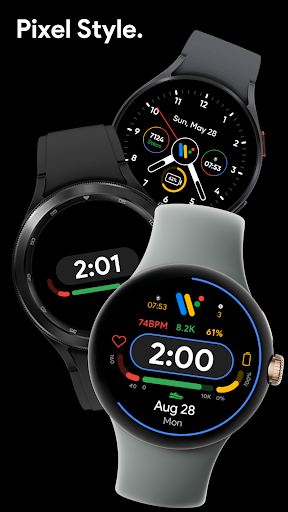
• Battery bar
• Steps bar
• HR bar
• Toggleable seconds bar
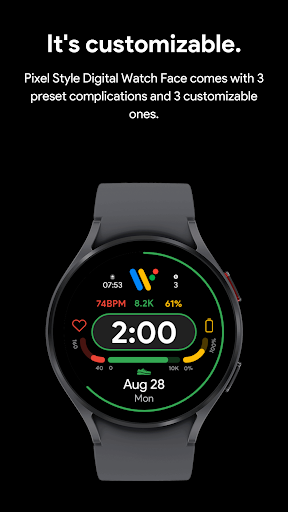
• 3 customizable complications
• 13 color combinations to choose from
• AOD supported
• Does not store any of your personal data
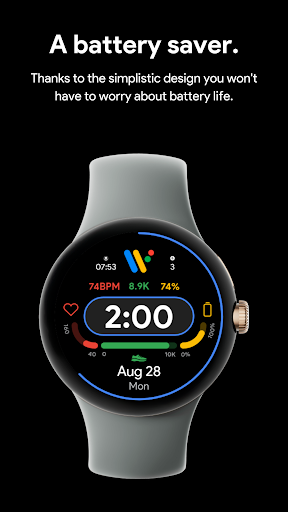
• Battery efficient
Bug report & suggestions:
Contact minimalisticwatchfaces@gmail.com
Wear OS by Google and Pixel are trademarks of Google LLC.
1. Hold down on your current watch face to enter selection mode.
2. Scroll to the right until you see "+" and click on it.
3. Scroll until you see "Pixel Style Digital", and select it.
4. Read "IMPORTANT #2".
IMPORTANT #2: Make sure you allow all permissions requested! In case you accidentally denied access to health data, restart your watch. To do this, you just need to power your watch off and turn it back on.
Features:
• 24hr/12hr time switching
• Battery bar
• Steps bar
• HR bar
• Toggleable seconds bar
• 3 customizable complications
• 13 color combinations to choose from
• AOD supported
• Does not store any of your personal data
• Battery efficient
Bug report & suggestions:
Contact minimalisticwatchfaces@gmail.com
Wear OS by Google and Pixel are trademarks of Google LLC.
Developer email
minimalisticwatchfaces@gmail.com
Released
Aug 2, 2023
Current version
VARY
Android version
VARY
Reviews & Ratings
4.1
out of 5
5
4
3
2
1
🙂 Mostly positive reviews
21 reviewsScreenshots