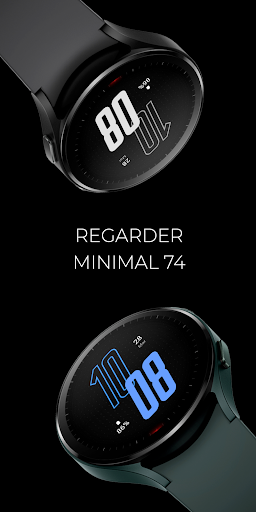
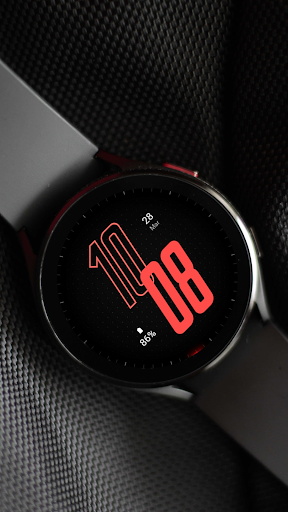
Minimal 74 Watch Face
Regarder Watch Faces

3.3 stars48 reviews1,000+$0.99
PersonalizationEveryoneVersion VARYUpdated 7/26/2025, 4:30:55 PM
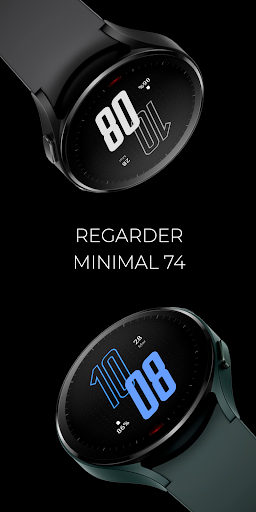
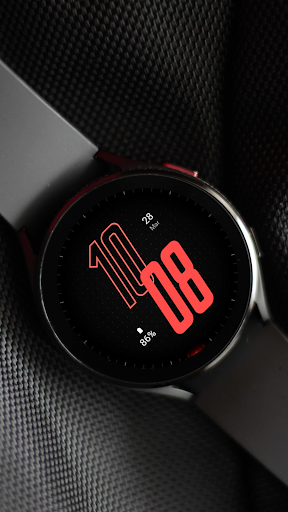
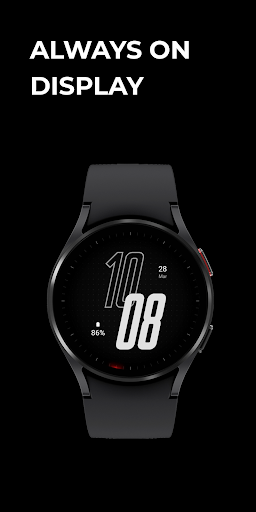
Open in StoreThis Wear OS watch face is customizable with colors and complications. The minimalistic design ensures a sleek and modern look while remaining easy to use.
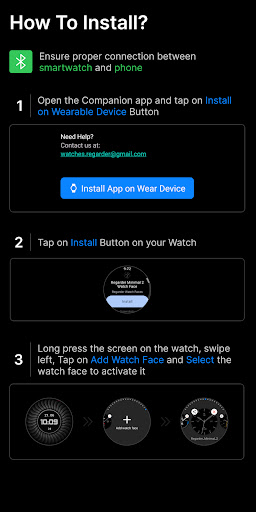
Installing Regarder Minimal 74 is easy:
Just open the Mobile Companion app and follow the instructions there.
In case this does not work. You can use a PC and install it from there
If this option still does not work you can install the watch face from your wear os Device, here are the instructions:
1. On your Wear OS smartwatch, open the Google Play Store.
2. Search for "Regarder Minimal 2" and select the app from the search results.
3. Tap "Install" to begin the installation process.
4. Once the installation is complete, you can find the watch face in the "Watch Faces" section of your smartwatch's settings.
5. Select Regarder Minimal 2 as your active watch face.
Installing Regarder Minimal 74 is easy:
Just open the Mobile Companion app and follow the instructions there.
In case this does not work. You can use a PC and install it from there
If this option still does not work you can install the watch face from your wear os Device, here are the instructions:
1. On your Wear OS smartwatch, open the Google Play Store.
2. Search for "Regarder Minimal 2" and select the app from the search results.
3. Tap "Install" to begin the installation process.
4. Once the installation is complete, you can find the watch face in the "Watch Faces" section of your smartwatch's settings.
5. Select Regarder Minimal 2 as your active watch face.
Developer email
watches.regarder@gmail.com
Released
Mar 25, 2023
Current version
VARY
Android version
VARY
Reviews & Ratings
3.3
out of 5
5
4
3
2
1
😐 Reviews are mixed
48 reviewsScreenshots