Beautiful Clouds For Wear OS
ZKin

Beautiful Clouds For Wear OS
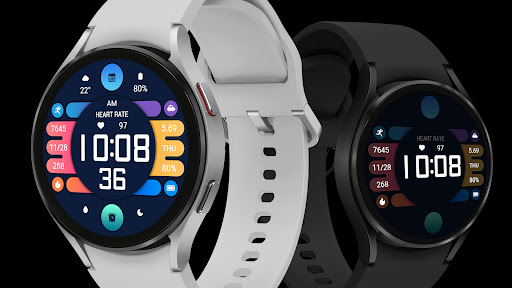
The dial supports running on Wear OS and also supports customization
1. Top: Custom Data, Calendar, Custom Data;
2. Middle section: Steps, date, calories, morning and afternoon, heart rate, time, distance, battery level;
3. Bottom: Custom APP, Alarm Clock, Custom APP.
Compatible devices: Pixel Watch, Galaxy Watch 4/5/6/7 and above, and other devices
How do I install the watch face on WearOS ?
1. Install it from Google Play Wear Store on your watch
2. Install the companion app for fully customization (Android phone devices)
The dial supports running on Wear OS and also supports customization
1. Top: Custom Data, Calendar, Custom Data;
2. Middle section: Steps, date, calories, morning and afternoon, heart rate, time, distance, battery level;
3. Bottom: Custom APP, Alarm Clock, Custom APP.
Compatible devices: Pixel Watch, Galaxy Watch 4/5/6/7 and above, and other devices
How do I install the watch face on WearOS ?
1. Install it from Google Play Wear Store on your watch
2. Install the companion app for fully customization (Android phone devices)
Developer email
2567661790@qq.com
Released
Nov 28, 2024
Current version
VARY
Android version
VARY
Screenshots