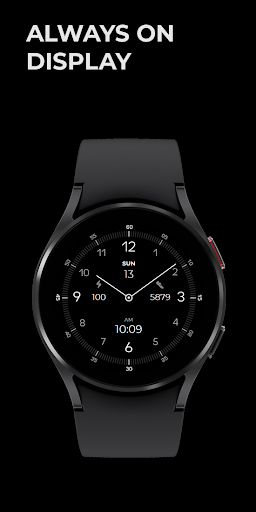
Regarder Minimal 64 Watch Face
Regarder Watch Faces

4.0 stars122 reviews5,000+$1.49
PersonalizationEveryoneVersion VARYUpdated 9/1/2025, 4:57:29 PM
Open in Store[ Only for Wear OS devices ]
INSTALLATION:
1. Please make sure your watch is connected to your phone via Bluetooth
2. Install and hit the dropdown menu, and choose Watch.
*If you are having an issue with synchronization between your phone and the Play store, you can install it directly from the watch. Head over to the Play Store app installed on your watch and search this watch face.
3. You can also install this watch face by accessing the Google Play Store in the web browser on a PC or Laptop.
4. For others clearing the cache of the Play Store app works and for some disconnecting and reconnecting Bluetooth for both watch and phone fixed it.
Please understand that watch face developers don't have control over the installation process. Our watch face apps are thoroughly tested on real devices and are reviewed and approved by the Google Play Store team before publishing them.
For support, you can email me at watches.regarder@gmail.com
INSTALLATION:
1. Please make sure your watch is connected to your phone via Bluetooth
2. Install and hit the dropdown menu, and choose Watch.
*If you are having an issue with synchronization between your phone and the Play store, you can install it directly from the watch. Head over to the Play Store app installed on your watch and search this watch face.
3. You can also install this watch face by accessing the Google Play Store in the web browser on a PC or Laptop.
4. For others clearing the cache of the Play Store app works and for some disconnecting and reconnecting Bluetooth for both watch and phone fixed it.
Please understand that watch face developers don't have control over the installation process. Our watch face apps are thoroughly tested on real devices and are reviewed and approved by the Google Play Store team before publishing them.
For support, you can email me at watches.regarder@gmail.com
Developer email
watches.regarder@gmail.com
Released
Feb 13, 2022
Current version
VARY
Android version
VARY
Reviews & Ratings
4.0
out of 5
5
4
3
2
1
⚠️ Users report mixed experiences
122 reviewsScreenshots