My Verisure
Verisure Group

4.8 stars136,584 reviews5,000,000+Free
House & HomeEveryoneVersion 10.178.0Updated 5/6/2026, 10:05:16 AM
Open in StoreYOUR SECURITY - WHEREVER YOU ARE
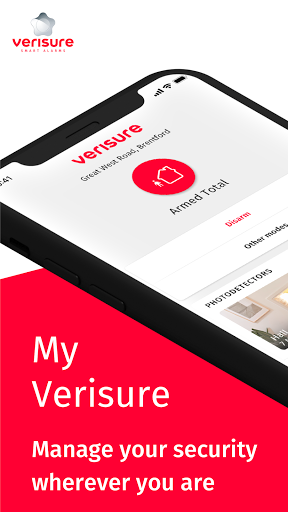
The My Verisure application allows you to take full control of your security, to activate or deactivate your intruder alarm from anywhere in the world.
Application features:
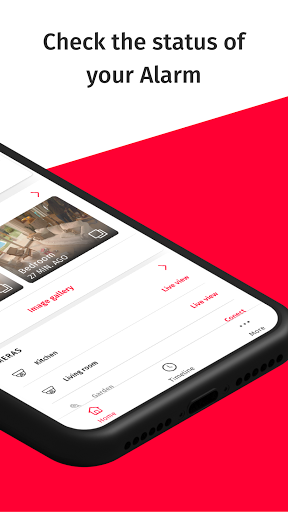
- Check the status of your alarm.
- Arm or disarm your alarm remotely.
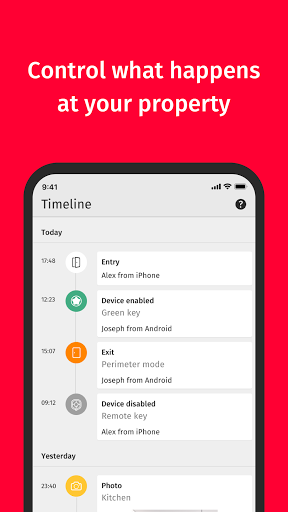
- Check who enters and leaves your home or business and at what time.
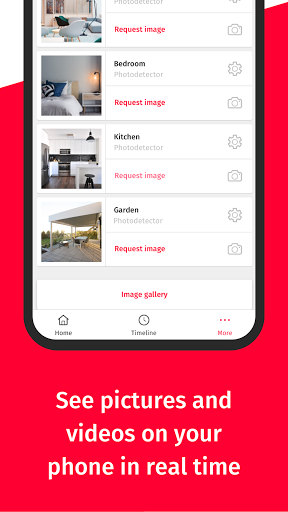
- Take photos remotely to check on your property from your mobile or tablet.
- Check your live video surveillance.
- Download your invoices.
- Modify your keywords, users, action plans…
And much more!
All these functions are available in our Verisure Alarms. The available functionalities may vary according to the Alarm model.
Notes:
- In order to use this application, you must be a Verisure customer and have a username and password.
- If you do not remember your username and/or password, you can retrieve them through the customer website (https://www.verisure.co.uk/alarms/customer-area.html) or by calling our Customer Service telephone number 0333 200 9000 (Monday-Friday, 8am-9pm)
- If you are not yet a client of Verisure UK and you want more information, you can contact us via our website or call us on 020 3885 3299 (Monday-Friday, 9am-6pm).
The My Verisure application allows you to take full control of your security, to activate or deactivate your intruder alarm from anywhere in the world.
Application features:
- Check the status of your alarm.
- Arm or disarm your alarm remotely.
- Check who enters and leaves your home or business and at what time.
- Take photos remotely to check on your property from your mobile or tablet.
- Check your live video surveillance.
- Download your invoices.
- Modify your keywords, users, action plans…
And much more!
All these functions are available in our Verisure Alarms. The available functionalities may vary according to the Alarm model.
Notes:
- In order to use this application, you must be a Verisure customer and have a username and password.
- If you do not remember your username and/or password, you can retrieve them through the customer website (https://www.verisure.co.uk/alarms/customer-area.html) or by calling our Customer Service telephone number 0333 200 9000 (Monday-Friday, 8am-9pm)
- If you are not yet a client of Verisure UK and you want more information, you can contact us via our website or call us on 020 3885 3299 (Monday-Friday, 9am-6pm).
Developer email
atenciononline@securitasdirect.es
Developer website
https://www.verisure.comReleased
Jun 29, 2020
Current version
10.178.0
Android version
8.0
Reviews & Ratings
4.8
out of 5
5
4
3
2
1
🌟 Loved by users
136,584 reviewsScreenshots