Force 4G LTE Only 2020 Pro
teknokia

Shortcut To Switch to LTE Only and Lock LTE Band Without Secret Code
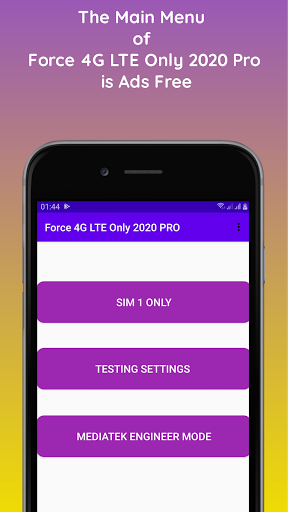
Force 4G LTE Only 2020 Pro is a combination of the free version of the Force 4G LTE Only 2020 application and the free version of the MTK Engineer App with the addition of new menus and functions and without Ads.
New Menu Button:
- MTK Engineering Mode: exclusively for devices with Mediatek chips
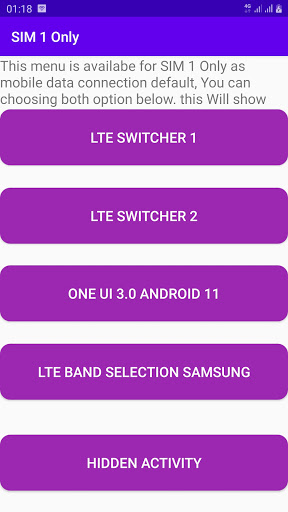
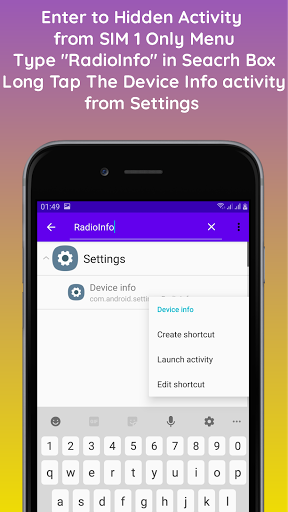
- Hidden Activity on the SIM 1 Only menu: this menu displays all installed application activities and system applications.
Especially for Sams * ng Ga ** xy devices:
- Select Sim 1 Only - Hidden Activity - type "Hiddennetwork" in the search box. The Call Settings Application will appear. In the Activity Hidden Network section, long tap a number of menu options will appear:
1. Create Shortcut = Create a shortcut on the application homepage
2. Launch Activity = Go directly to the activity of an application
3. Edit Shortcut = can change the icon and name of the application on the homepage that was made previously.
When entering the Hiddennetwork activity from Call Settings. There will be 3 menus available:
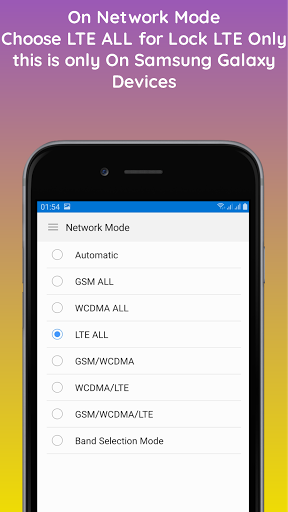
1. Network Mode: to select network mode select LTE All to Lock LTE Only
2. Band Selection: to lock the LTE Band by selecting an option then activate the toggle selection.
Force 4G LTE Only 2020 Pro is a combination of the free version of the Force 4G LTE Only 2020 application and the free version of the MTK Engineer App with the addition of new menus and functions and without Ads.
New Menu Button:
- MTK Engineering Mode: exclusively for devices with Mediatek chips
- Hidden Activity on the SIM 1 Only menu: this menu displays all installed application activities and system applications.
Especially for Sams * ng Ga ** xy devices:
- Select Sim 1 Only - Hidden Activity - type "Hiddennetwork" in the search box. The Call Settings Application will appear. In the Activity Hidden Network section, long tap a number of menu options will appear:
1. Create Shortcut = Create a shortcut on the application homepage
2. Launch Activity = Go directly to the activity of an application
3. Edit Shortcut = can change the icon and name of the application on the homepage that was made previously.
When entering the Hiddennetwork activity from Call Settings. There will be 3 menus available:
1. Network Mode: to select network mode select LTE All to Lock LTE Only
2. Band Selection: to lock the LTE Band by selecting an option then activate the toggle selection.
Developer email
e2r.ramadhan@gmail.com
Developer website
https://www.teknokia.comReleased
Jan 27, 2021
Current version
1.8
Android version
6.0
Reviews & Ratings
3.7
out of 5
5
4
3
2
1
⚠️ Users report mixed experiences
85 reviewsScreenshots