Dark Mode for All Apps
ZipoApps

3.1 stars3,105 reviews500,000+Free
PersonalizationEveryoneVersion 1.3.9Updated 12/26/2024, 12:39:01 PM
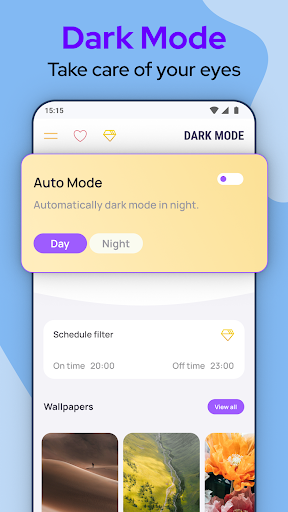
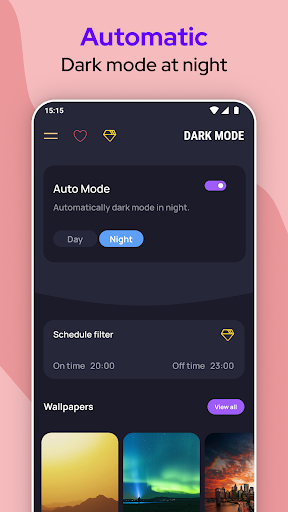
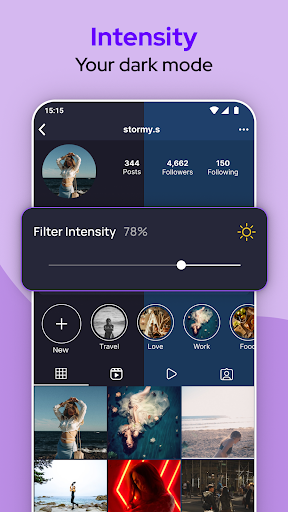
Open in StoreIf your device is not offering the option to activate the Dark Mode, you just found the solution. Activate Dark Mode and protect your eyes!
Dark Mode protects your eyes and conserves battery power, enabling device usage for more extended periods without charging.
Dark Mode is probably one of the most popular features in the modern user interface.
We provide you the best Dark Mode - Night Screen app on the play store with a simple design.
Features:
• Dark Mode saves energy, mainly if the device uses an OLED or AMOLED screen. Enjoy the night mode with the dark screen in your favorite apps.
• While the dark text on a white background is the best in terms of readability, Dark Mode (which has light text on a dark background) is better for reducing eye strain in low light conditions.
• With a dark screen, the screen glare is reduced, thereby minimizing flickering and blue light. Protect your eyes with night screen mode.
When you use the mobile at night, the light screen can harm your eyes. That’s why it’s essential to use Dark Mode - Night Screen on your device. Protect your eyes with night mode; prevention is the best cure.
Use Dark Mode - Night Screen and enjoy a beautiful user interface. The dark screen will reduce the negative effect of your device on your eyes.
Note :
Dark Mode app is neither affiliated with any other app nor claims to own a trademark to use the name and logo of any third-party app.
Activate Dark Mode easily, Support for ALL Apps!
Dark Mode protects your eyes and conserves battery power, enabling device usage for more extended periods without charging.
Dark Mode is probably one of the most popular features in the modern user interface.
We provide you the best Dark Mode - Night Screen app on the play store with a simple design.
Simple, yet powerful Dark Mode - Dark Screen Activatior
Features:
• Dark Mode saves energy, mainly if the device uses an OLED or AMOLED screen. Enjoy the night mode with the dark screen in your favorite apps.
• While the dark text on a white background is the best in terms of readability, Dark Mode (which has light text on a dark background) is better for reducing eye strain in low light conditions.
• With a dark screen, the screen glare is reduced, thereby minimizing flickering and blue light. Protect your eyes with night screen mode.
When you use the mobile at night, the light screen can harm your eyes. That’s why it’s essential to use Dark Mode - Night Screen on your device. Protect your eyes with night mode; prevention is the best cure.
Use Dark Mode - Night Screen and enjoy a beautiful user interface. The dark screen will reduce the negative effect of your device on your eyes.
Note :
Dark Mode app is neither affiliated with any other app nor claims to own a trademark to use the name and logo of any third-party app.
Enjoy all benefits of the dark screen now!
Developer email
support.darkmode@zipoapps.com
Developer website
https://zipoapps.com/darkmodeReleased
Apr 12, 2020
Current version
1.3.9
Android version
5.1
Reviews & Ratings
3.1
out of 5
5
4
3
2
1
😕 Lower user ratings overall
3,105 reviewsScreenshots