SG Connect
Société Générale African Business Services

3.7 stars10,047 reviews1,000,000+Free
FinanceEveryoneVersion 2.93.32Updated 4/7/2026, 12:26:56 PM
Open in StoreWith SG Connect, The Société Générale mobile app for SG African subsidiaries, designed by Société Générale African Business Services, manage your account simply, quickly and securely!
ADVANTAGES
The SG Connect mobile app simplifies your relationship with your bank:
1. Facilitation of daily life: No need to move to a branch for my day-to-day operations. The service is available 24/7.
2. Real time: my transactions are processed instantaneously (in real time).
3. Security: Access to the mobile application as well as the validation of all transactional operations systematically require the entry of a password.
4. Simplicity of use: The application is easy to use with an ergonomic and intuitive interface that makes navigation smooth.
SPACES
The mobile app offers me two navigation areas:
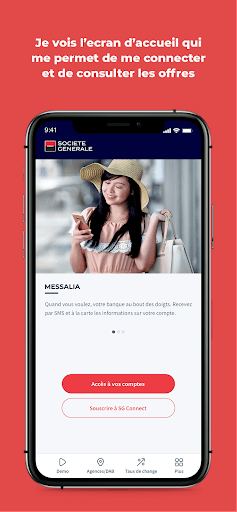
- A Public space: I can access it without authentication and benefit from a set of practical services (geolocation of an agency or an Automatic Teller Machine (ATM), consultation of useful contacts, consultation of currency rates, …)
- My secure space: I just need to activate my account to access it securely and benefit from all the account and transactional consultation features.
FEATURES
The mobile app offers me several features:
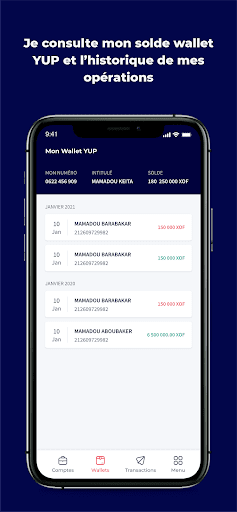
- Consult the balance and history of my accounts (current, savings, and wallet),
- Consult my credits and investments;
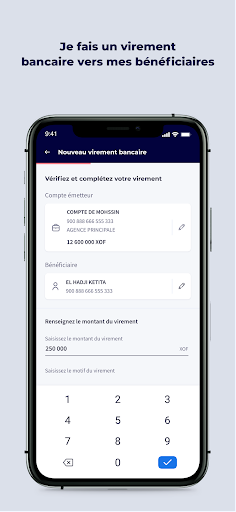
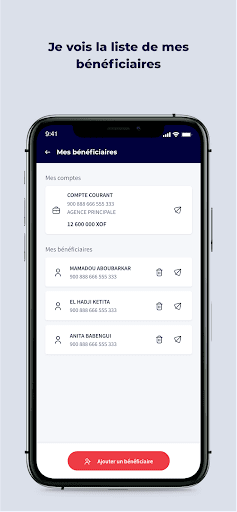
- Manage bank and wallet beneficiaries (depending on the country);
- Make bank and wallet transfers (depending on the country);
- Change and reset password;
- Geolocate ATMs and Agencies;
... And many other services to discover in the Demo mode of the application.
ADVANTAGES
The SG Connect mobile app simplifies your relationship with your bank:
1. Facilitation of daily life: No need to move to a branch for my day-to-day operations. The service is available 24/7.
2. Real time: my transactions are processed instantaneously (in real time).
3. Security: Access to the mobile application as well as the validation of all transactional operations systematically require the entry of a password.
4. Simplicity of use: The application is easy to use with an ergonomic and intuitive interface that makes navigation smooth.
SPACES
The mobile app offers me two navigation areas:
- A Public space: I can access it without authentication and benefit from a set of practical services (geolocation of an agency or an Automatic Teller Machine (ATM), consultation of useful contacts, consultation of currency rates, …)
- My secure space: I just need to activate my account to access it securely and benefit from all the account and transactional consultation features.
FEATURES
The mobile app offers me several features:
- Consult the balance and history of my accounts (current, savings, and wallet),
- Consult my credits and investments;
- Manage bank and wallet beneficiaries (depending on the country);
- Make bank and wallet transfers (depending on the country);
- Change and reset password;
- Geolocate ATMs and Agencies;
... And many other services to discover in the Demo mode of the application.
Developer email
support.sgconnect@socgen.com
Released
Mar 6, 2020
Current version
2.93.32
Android version
7.0
Reviews & Ratings
3.7
out of 5
5
4
3
2
1
😐 Reviews are mixed
10,047 reviewsScreenshots