SLSP mToken
Slovenská sporiteľňa, a.s.

3.0 stars2,141 reviews500,000+Free
FinanceEveryoneVersion 92.02Updated 1/30/2026, 3:27:31 PM
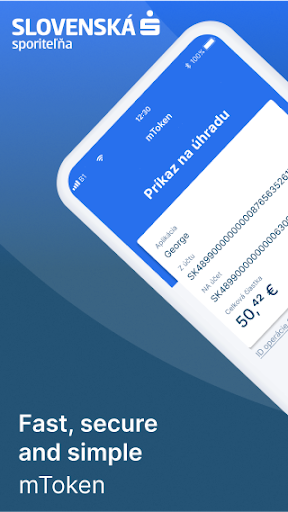
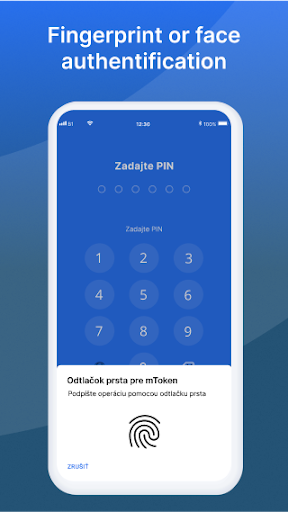
Open in StoreThe mobile mToken application is the most secure and user-friendly method for signing in George or Business24. In order to use it, you just need to have your fingerprint scanned, or you can use your own PIN code. Choose the method you prefer.
Why have mToken in your smartphone?
• it’s even more secure than the SMS key,
• it’s straightforward,
• it’s user-friendly – you just need to place your finger or enter a 6-digit PIN code,
• it works anytime and anywhere – even if you don’t receive an SMS or the SMS is late, for example in places without a mobile signal or abroad. Even in places with no data connection.
• the SMS key is always with you and you can use it.
How to activate mToken?
It’s simple. You just need to log in to the application using your login data – login name and password which you are using in George/Business24 and confirm the activation with an SMS key.
Why have mToken in your smartphone?
• it’s even more secure than the SMS key,
• it’s straightforward,
• it’s user-friendly – you just need to place your finger or enter a 6-digit PIN code,
• it works anytime and anywhere – even if you don’t receive an SMS or the SMS is late, for example in places without a mobile signal or abroad. Even in places with no data connection.
• the SMS key is always with you and you can use it.
How to activate mToken?
It’s simple. You just need to log in to the application using your login data – login name and password which you are using in George/Business24 and confirm the activation with an SMS key.
Developer email
sporoapps@gmail.com
Developer website
https://www.slsp.sk/skReleased
Oct 15, 2018
Current version
92.02
Android version
9
Reviews & Ratings
3.0
out of 5
5
4
3
2
1
😕 Lower user ratings overall
2,141 reviewsScreenshots