Intilaqa
BankDhofar

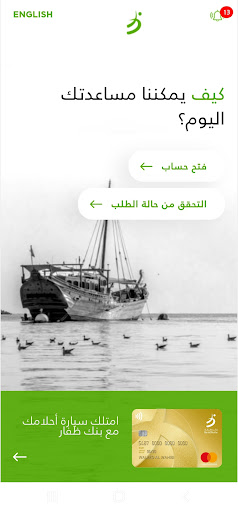
With BankDhofar Intilaqa App, you are welcome to start your banking relationship with BankDhofar in minutes. It is fast, easy and secure.
Open your BankDhofar Savings Account through the App today with simple steps:
1. Enter your mobile number.
2. Scan your ID card/Passport.
3. Check and verify your personal details.
4. Fill out & upload your documents for verification.
5. Sign or Upload your digital signature and select your card delivery method.
6. Confirmation SMS will be sent to your mobile number.
3. Check and verify your personal details.
4. Fill out & upload your documents for verification.
5. Sign or Upload your digital signature and select your card delivery method.
6. Confirmation SMS will be sent to your mobile number.
Open your BankDhofar Savings Account through the App today with simple steps:
1. Enter your mobile number.
2. Scan your ID card/Passport.
3. Check and verify your personal details.
4. Fill out & upload your documents for verification.
5. Sign or Upload your digital signature and select your card delivery method.
6. Confirmation SMS will be sent to your mobile number.
3. Check and verify your personal details.
4. Fill out & upload your documents for verification.
5. Sign or Upload your digital signature and select your card delivery method.
6. Confirmation SMS will be sent to your mobile number.
Developer email
Care@BankDhofar.com
Developer website
https://www.bankdhofar.com/Released
Oct 3, 2022
Current version
1.2.0
Android version
8.0
Screenshots