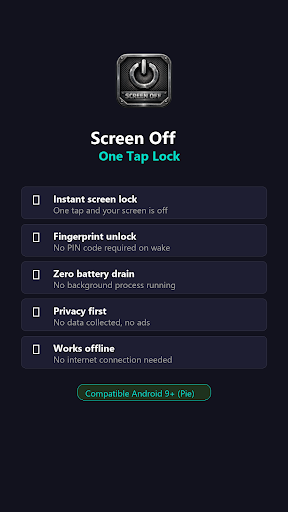
Screen Off - One Tap Lock
Damien LEIGNEL

Your phone doesn't have a dedicated screen-off button? Your power button is hard to reach, wearing out, or broken? Screen Off fills the gap that Android doesn't.
Screen Off adds what should have been built into every phone: a simple, instant screen-off button you can place anywhere on your home screen. One tap and your screen locks — just like pressing the physical power button.
The key difference: your fingerprint works normally when you wake up the phone. No PIN code forced on you, unlike other screen-off apps.
WHY SCREEN OFF?
Unlike other lock-screen apps that use Device Admin (which forces PIN entry every time), Screen Off uses a smarter approach that perfectly mimics the physical power button behavior. This means:
→ One tap = screen off. Instant. No delay.
→ Fingerprint unlock works on wake — no PIN required.
→ Place the icon in your dock for always-available access.
→ Protect your power button from mechanical wear.
→ Perfect for phones with awkward power button placement.
HOW IT WORKS
1. Install and follow the built-in step-by-step setup guide
2. Place the Screen Off icon in your favorites bar
3. Tap the icon = screen locked instantly
4. Wake up = unlock with fingerprint, as usual
That's it. No background battery drain. No data collected. No ads. No subscriptions.
FEATURES
• Instant screen lock with a single tap
• Fingerprint unlock on wake (no forced PIN)
• Built-in setup guide with direct links to settings
• Home screen widget included
• Long-press icon shortcut to access settings anytime
• Optimized for all major Android manufacturers
• Works 100% offline — no internet needed
• Zero data collection — your privacy is respected
• No ads, no in-app purchases, no subscriptions
COMPATIBILITY
• Requires Android 9 (Pie) or above — API level 28+
• Compatible with all Android devices running Android 9+
• Tested on Samsung, Google Pixel, OnePlus, Xiaomi, and more
Note: Screen Off uses the Android Accessibility Service solely to perform the screen lock action (GLOBAL_ACTION_LOCK_SCREEN). It does not read, monitor, or collect any data.
Screen Off adds what should have been built into every phone: a simple, instant screen-off button you can place anywhere on your home screen. One tap and your screen locks — just like pressing the physical power button.
The key difference: your fingerprint works normally when you wake up the phone. No PIN code forced on you, unlike other screen-off apps.
WHY SCREEN OFF?
Unlike other lock-screen apps that use Device Admin (which forces PIN entry every time), Screen Off uses a smarter approach that perfectly mimics the physical power button behavior. This means:
→ One tap = screen off. Instant. No delay.
→ Fingerprint unlock works on wake — no PIN required.
→ Place the icon in your dock for always-available access.
→ Protect your power button from mechanical wear.
→ Perfect for phones with awkward power button placement.
HOW IT WORKS
1. Install and follow the built-in step-by-step setup guide
2. Place the Screen Off icon in your favorites bar
3. Tap the icon = screen locked instantly
4. Wake up = unlock with fingerprint, as usual
That's it. No background battery drain. No data collected. No ads. No subscriptions.
FEATURES
• Instant screen lock with a single tap
• Fingerprint unlock on wake (no forced PIN)
• Built-in setup guide with direct links to settings
• Home screen widget included
• Long-press icon shortcut to access settings anytime
• Optimized for all major Android manufacturers
• Works 100% offline — no internet needed
• Zero data collection — your privacy is respected
• No ads, no in-app purchases, no subscriptions
COMPATIBILITY
• Requires Android 9 (Pie) or above — API level 28+
• Compatible with all Android devices running Android 9+
• Tested on Samsung, Google Pixel, OnePlus, Xiaomi, and more
Note: Screen Off uses the Android Accessibility Service solely to perform the screen lock action (GLOBAL_ACTION_LOCK_SCREEN). It does not read, monitor, or collect any data.
Developer email
vitacura.soft@gmail.com
Developer website
https://vitacurasoft.github.io/Screen-Off/Released
May 12, 2026
Current version
1.0.3
Android version
9
Screenshots