AUTOCOM GO
StartAppDevelopment

How to start using AUTOCOM GO?
• Download the AUTOCOM GO app to your phone.
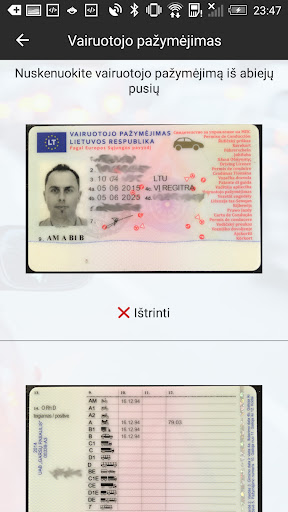
• Register.
• Book a car you like through the AUTOCOM GO app or on www.autocom.lt
• After arriving at the specified booking location, the app navigation will help you to easily locate the car you have booked.
• Unlock the car with one click and drive to your destination.
• After the trip, leave the car at the location indicated in the reservation and lock it with one click.
No more extra charges or queues at the rental office!
Have a nice trip with AUTOCOM GO!
AUTOCOM CAR RENTAL – CONVENIENT AND SIMPLE!
For more info please visit www.autocom.lt or contact us at info@autocom.lt
• Download the AUTOCOM GO app to your phone.
• Register.
• Book a car you like through the AUTOCOM GO app or on www.autocom.lt
• After arriving at the specified booking location, the app navigation will help you to easily locate the car you have booked.
• Unlock the car with one click and drive to your destination.
• After the trip, leave the car at the location indicated in the reservation and lock it with one click.
No more extra charges or queues at the rental office!
Have a nice trip with AUTOCOM GO!
AUTOCOM CAR RENTAL – CONVENIENT AND SIMPLE!
For more info please visit www.autocom.lt or contact us at info@autocom.lt
Developer email
info@autocom.lt
Developer website
https://www.autocom.lt/lt/Released
Jun 18, 2019
Current version
1.15
Android version
5.0
Screenshots