키캡 - KeyCap
ChartQ Inc

Keycap is a casual clicker game where you lightly press keycaps to increase your school's cumulative tap count.
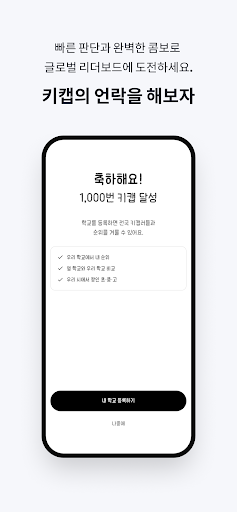
Every tap becomes your personal record and your school's record.
Based on data for elementary, middle, and high schools nationwide, you can check your school's ranking at the national, city/province, and city/county levels.
Main Features
Keycap Tap Counter
You can record your personal cumulative tap count by pressing keycaps on the screen.
School Ranking
The cumulative tap count of the school you registered is reflected in the school's records.
You can check national rankings, regional rankings, and school-specific rankings.
Hall of Fame
You can view the top records with the highest cumulative tap counts.
Keep tapping consistently and challenge yourself to achieve higher records.
Keycap Customization
You can customize keycap colors, labels, and skins yourself.
You can create your own unique keycaps by decorating the top and front surfaces with 16×16 pixel art.
Keycap Title System
Your title grows as you accumulate more taps.
Achieve step-by-step goals, from Keycap Freshman to Keycap Legendary.
Privacy Policy
Keycap does not require personally identifiable information such as name, phone number, or address.
School rankings are based on cumulative records at the school level, allowing users to enjoy the game casually.
Advertising Policy
The app may contain advertisements.
Ads may be displayed after a certain period of use, and can be removed through in-app purchases.
Keycap is a simple tap game, but it offers the fun of small competition as you build records alongside your school.
Press Keycap now and raise your school's ranking.
Every tap becomes your personal record and your school's record.
Based on data for elementary, middle, and high schools nationwide, you can check your school's ranking at the national, city/province, and city/county levels.
Main Features
Keycap Tap Counter
You can record your personal cumulative tap count by pressing keycaps on the screen.
School Ranking
The cumulative tap count of the school you registered is reflected in the school's records.
You can check national rankings, regional rankings, and school-specific rankings.
Hall of Fame
You can view the top records with the highest cumulative tap counts.
Keep tapping consistently and challenge yourself to achieve higher records.
Keycap Customization
You can customize keycap colors, labels, and skins yourself.
You can create your own unique keycaps by decorating the top and front surfaces with 16×16 pixel art.
Keycap Title System
Your title grows as you accumulate more taps.
Achieve step-by-step goals, from Keycap Freshman to Keycap Legendary.
Privacy Policy
Keycap does not require personally identifiable information such as name, phone number, or address.
School rankings are based on cumulative records at the school level, allowing users to enjoy the game casually.
Advertising Policy
The app may contain advertisements.
Ads may be displayed after a certain period of use, and can be removed through in-app purchases.
Keycap is a simple tap game, but it offers the fun of small competition as you build records alongside your school.
Press Keycap now and raise your school's ranking.
Developer email
pyungkanghong094@gmail.com
Developer website
https://pk-portfolio-tau.vercel.app/Released
May 18, 2026
Current version
0.2.2
Android version
7.0
Screenshots