Plotagon Studio
Plotagon

4.6 stars7,063 reviews100,000+Free
Video Players & EditorsTeenVersion 1.6.0Updated 1/22/2026, 9:48:48 AM
Open in StoreWith this app, we aspire to enable anyone with an idea to effortlessly make professional-looking animated videos.
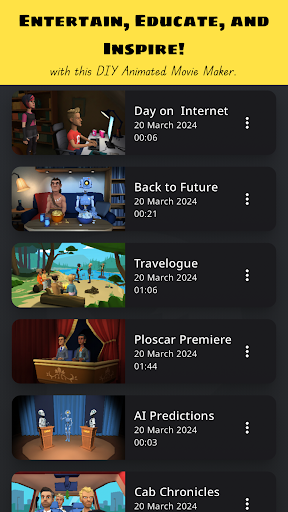
Plotagon Studio comes with a rich library of visual content and creative tools to help bring your stories to life.
Have you got an idea and wonder what to do next? Follow along:
Step 1: Download this app, obviously!
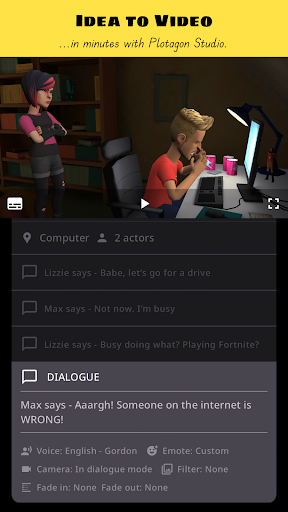
Step 2: Start creating a Plot. Plots are intuitive storyboards that help you easily organize, preview, and develop your story.
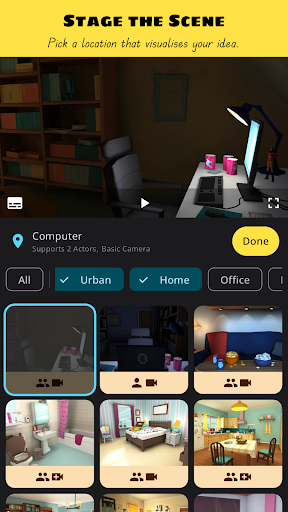
Step 3: Pick a location that visualizes your story.
Step 4: Add actors. Create them yourself or pick ones from our library.
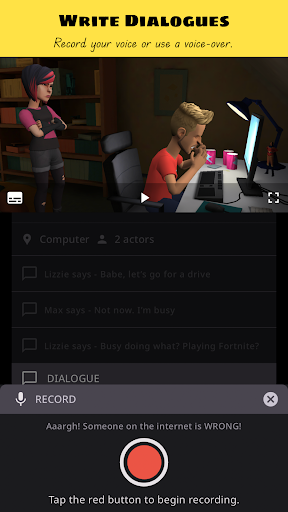
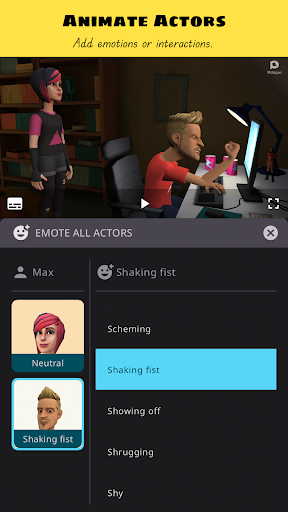
Step 5: Write dialogues, record voice overs, give your actors emotions and actions, add audio effects.
Step 6: Develop your story with our creative tools that allow you to be a video editor in-app. Change camera angles, apply fades and filters.
Step 7: Save the Plot as a video file. Share your film masterpiece with friends, family, and on social media!
That's it! Seven easy steps to becoming the next big content creator internet sensation!*
Educate, entertain and inspire with the best DIY animated movie maker!
*Disclaimer: Individual results may vary depending on the quality and virality of produced content! ;-)
If you have read this far, we thank you for your attention. We also hope you are convinced that Plotagon Studio is worth your time. Give it a try and let us know what you think at support@plotagon.com.
Privacy Policy: https://www.plotagon.com/v2/privacy-policy/
Terms of Service: https://www.plotagon.com/v2/terms-of-use/
Plotagon Studio comes with a rich library of visual content and creative tools to help bring your stories to life.
Have you got an idea and wonder what to do next? Follow along:
Step 1: Download this app, obviously!
Step 2: Start creating a Plot. Plots are intuitive storyboards that help you easily organize, preview, and develop your story.
Step 3: Pick a location that visualizes your story.
Step 4: Add actors. Create them yourself or pick ones from our library.
Step 5: Write dialogues, record voice overs, give your actors emotions and actions, add audio effects.
Step 6: Develop your story with our creative tools that allow you to be a video editor in-app. Change camera angles, apply fades and filters.
Step 7: Save the Plot as a video file. Share your film masterpiece with friends, family, and on social media!
That's it! Seven easy steps to becoming the next big content creator internet sensation!*
Educate, entertain and inspire with the best DIY animated movie maker!
*Disclaimer: Individual results may vary depending on the quality and virality of produced content! ;-)
If you have read this far, we thank you for your attention. We also hope you are convinced that Plotagon Studio is worth your time. Give it a try and let us know what you think at support@plotagon.com.
Privacy Policy: https://www.plotagon.com/v2/privacy-policy/
Terms of Service: https://www.plotagon.com/v2/terms-of-use/
Developer email
support@plotagon.com
Developer website
https://www.plotagon.com/Released
May 22, 2024
Current version
1.6.0
Android version
9
Reviews & Ratings
4.6
out of 5
5
4
3
2
1
😊 Highly rated by users
7,063 reviewsScreenshots