Playlist Transfer for My Music
Virals Dijital Hizmetler A.S.

4.4 stars13,641 reviews100,000+Free
Music & AudioEveryoneVersion 2.4.3Updated 4/8/2026, 8:39:18 AM
Open in Store🎶 Playlist Transfer - The Ultimate Music Transfer app to Move Your Music Effortlessly Across Platforms!
Tired of recreating your favorite playlists every time you switch music services? With Playlist Transfer, you can easily transfer music 🎵 from one platform to another in just a few seconds. Whether you're using Spotify, Apple Music, YouTube, or others, Playlist Transfer helps you move songs, playlists, and albums without hassle. Free your music and let Playlist Transfer handle the rest!
✨ Key Features:
- Transfer your playlists, songs, and albums between platforms effortlessly 🌍
- Free your music by moving it across Spotify, Apple Music, YouTube, and more 🎧
- Share playlists with friends, no matter which music service they use 🔗
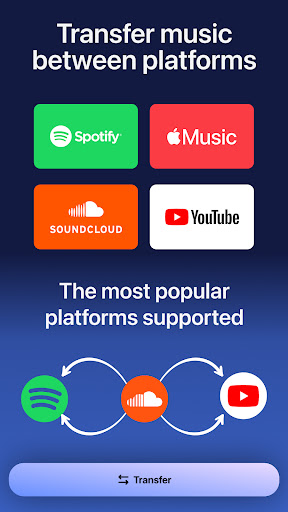
- Compatible with major platforms like Spotify, Apple Music, YouTube, and others 🎶
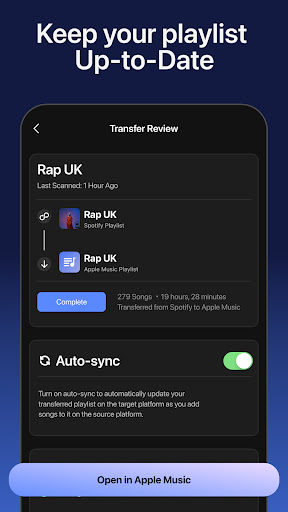
🔄 Transfer Spotify to Apple Music: Looking to switch from Spotify to Apple Music? 🎵 With Playlist Transfer, you can easily transfer Spotify to Apple Music in just a few steps. No more manually recreating your playlists — simply choose your playlists or songs from Spotify, and we’ll transfer them to Apple Music seamlessly! 🚀
With Playlist Transfer, you can transfer music between platforms instantly and keep your library synced everywhere.
🚀 How It Works:
1. Log in with your current music platform, such as Spotify, Apple Music, or others.
2. Choose the music platform where you want to transfer your songs.
3. Pick the playlists, albums, or songs to move 📂
4. Confirm the transfer and let Playlist Transfer do the magic ✨
Easily transfer playlists across Spotify, Apple Music, YouTube, Deezer, and more in just a few clicks.
🎵 Supported Music Services:
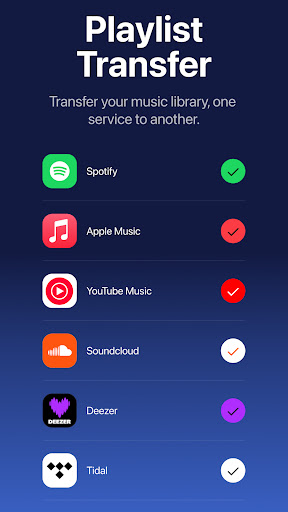
- Spotify
- Apple Music
- YouTube
- Deezer
- Soundcloud
Stop losing tracks when you switch apps, transfer your music and playlists seamlessly with Playlist Transfer.
Check your music stats with Playlist Transfer for Spotify Music Stats:
- Your top tracks, top artists and top albums
- How much you listen music on Spotify
- Music stats and song features (popularity, danceable, energetic…)
- Your lifetime Spotify streaming history for songs / artists / albums
- Personalized statistics for every song, artist, album on Spotify
- Find out popularity scores for every song, artist, album
- Discover new music with suggested songs
Switching platforms has never been easier! Start using Playlist Transfer now and enjoy the convenience of song transfer in seconds. Whether you need to transfer from Spotify to Apple Music or vice versa, Playlist Transfer makes it fast and easy.
🚨 Frustrated with your streaming service? Transfer your entire music library today! Don’t waste time recreating playlists; simply use Playlist Transfer to transfer music seamlessly across platforms.
💡 Why Choose Playlist Transfer?
- Fast, easy, and reliable music transfer 🚀
- Save time by moving entire playlists and songs in a few clicks 🎶
- Enjoy free your music experience on multiple platforms 💥
📧 Questions or feedback? We’d love to hear from you! Reach out to us at hello@transferplaylist.app
🌐 Check out terms and privacy policy for Playlist Transfer app:
https://www.transferplaylist.app/terms
https://www.transferplaylist.app/privacy
Tired of recreating your favorite playlists every time you switch music services? With Playlist Transfer, you can easily transfer music 🎵 from one platform to another in just a few seconds. Whether you're using Spotify, Apple Music, YouTube, or others, Playlist Transfer helps you move songs, playlists, and albums without hassle. Free your music and let Playlist Transfer handle the rest!
✨ Key Features:
- Transfer your playlists, songs, and albums between platforms effortlessly 🌍
- Free your music by moving it across Spotify, Apple Music, YouTube, and more 🎧
- Share playlists with friends, no matter which music service they use 🔗
- Compatible with major platforms like Spotify, Apple Music, YouTube, and others 🎶
🔄 Transfer Spotify to Apple Music: Looking to switch from Spotify to Apple Music? 🎵 With Playlist Transfer, you can easily transfer Spotify to Apple Music in just a few steps. No more manually recreating your playlists — simply choose your playlists or songs from Spotify, and we’ll transfer them to Apple Music seamlessly! 🚀
With Playlist Transfer, you can transfer music between platforms instantly and keep your library synced everywhere.
🚀 How It Works:
1. Log in with your current music platform, such as Spotify, Apple Music, or others.
2. Choose the music platform where you want to transfer your songs.
3. Pick the playlists, albums, or songs to move 📂
4. Confirm the transfer and let Playlist Transfer do the magic ✨
Easily transfer playlists across Spotify, Apple Music, YouTube, Deezer, and more in just a few clicks.
🎵 Supported Music Services:
- Spotify
- Apple Music
- YouTube
- Deezer
- Soundcloud
Stop losing tracks when you switch apps, transfer your music and playlists seamlessly with Playlist Transfer.
Check your music stats with Playlist Transfer for Spotify Music Stats:
- Your top tracks, top artists and top albums
- How much you listen music on Spotify
- Music stats and song features (popularity, danceable, energetic…)
- Your lifetime Spotify streaming history for songs / artists / albums
- Personalized statistics for every song, artist, album on Spotify
- Find out popularity scores for every song, artist, album
- Discover new music with suggested songs
Switching platforms has never been easier! Start using Playlist Transfer now and enjoy the convenience of song transfer in seconds. Whether you need to transfer from Spotify to Apple Music or vice versa, Playlist Transfer makes it fast and easy.
🚨 Frustrated with your streaming service? Transfer your entire music library today! Don’t waste time recreating playlists; simply use Playlist Transfer to transfer music seamlessly across platforms.
💡 Why Choose Playlist Transfer?
- Fast, easy, and reliable music transfer 🚀
- Save time by moving entire playlists and songs in a few clicks 🎶
- Enjoy free your music experience on multiple platforms 💥
📧 Questions or feedback? We’d love to hear from you! Reach out to us at hello@transferplaylist.app
🌐 Check out terms and privacy policy for Playlist Transfer app:
https://www.transferplaylist.app/terms
https://www.transferplaylist.app/privacy
Developer email
hello@transferplaylist.app
Developer website
https://transferplaylist.appReleased
Oct 14, 2024
Current version
2.4.3
Android version
10
Reviews & Ratings
4.4
out of 5
5
4
3
2
1
😊 Highly rated by users
13,641 reviewsScreenshots