Notepad – Notes, Memo & Tasks
Heri Corner

4.0 stars88 reviews50,000+Free
ProductivityEveryoneVersion 1.31Updated 10/27/2025, 11:34:21 AM
Open in StoreNotepad – Notes, Memo & Tasks is a notebook app that helps you create notes, to-do lists, checklists, and memos while keeping your notes and tasks in this app. You can also create memos to write short notes, reminders, or important points for later.
Use the Notepad – Notes, Memo & Tasks app to arrange your tasks, and ideas whenever you need.
Features of Notepad – Notes, Memo & Tasks app
- Notes app for writing memos and tasks
- Create checklists, shopping lists & daily to-do lists
- Organize notes by color or category
- Pin notes to the top or mark them as favorite.
- Add calendar-based notes & task reminders
- Lock selected notes with password or fingerprint
- Multiple layout options for writing
- Sort and filter notes by date or name
- Reminder notifications for to-do items
• Note Taking Mode
The app provides two note-taking modes: text (lined-paper style) and checklist. Notes are saved as you type.
- Create personal notes, class notes, or meeting notes anytime.
- Write memos, lists, and tasks to plan your day.
- Check off, archive, duplicate, delete, and share notes when needed
• Calendar Notes
Use Notepad app to create notes, tasks, to-do lists on the calendar. Viewing and organizing your notes in the calendar mode helps you manage your schedule
• Reminders for Notes and To-do Lists
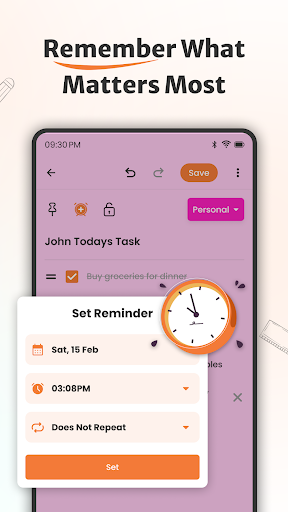
Set reminders for notes and daily to-do items to never miss important tasks.
• Lock Notes
Add a lock to selected notes with fingerprint or password
Get Notepad – Notes, Memo & Tasks
Start writing memos, lists, and daily tasks with Notepad and keep your notes and tasks in this app.
Use the Notepad – Notes, Memo & Tasks app to arrange your tasks, and ideas whenever you need.
Features of Notepad – Notes, Memo & Tasks app
- Notes app for writing memos and tasks
- Create checklists, shopping lists & daily to-do lists
- Organize notes by color or category
- Pin notes to the top or mark them as favorite.
- Add calendar-based notes & task reminders
- Lock selected notes with password or fingerprint
- Multiple layout options for writing
- Sort and filter notes by date or name
- Reminder notifications for to-do items
• Note Taking Mode
The app provides two note-taking modes: text (lined-paper style) and checklist. Notes are saved as you type.
- Create personal notes, class notes, or meeting notes anytime.
- Write memos, lists, and tasks to plan your day.
- Check off, archive, duplicate, delete, and share notes when needed
• Calendar Notes
Use Notepad app to create notes, tasks, to-do lists on the calendar. Viewing and organizing your notes in the calendar mode helps you manage your schedule
• Reminders for Notes and To-do Lists
Set reminders for notes and daily to-do items to never miss important tasks.
• Lock Notes
Add a lock to selected notes with fingerprint or password
Get Notepad – Notes, Memo & Tasks
Start writing memos, lists, and daily tasks with Notepad and keep your notes and tasks in this app.
Developer email
amirmunirbutt76@gmail.com
Developer website
https://notepad2646.blogspot.com/app-ads.txtReleased
Oct 7, 2024
Current version
1.31
Android version
7.0
Reviews & Ratings
4.0
out of 5
5
4
3
2
1
🟡 Positive overall, with some mixed feedback
88 reviewsScreenshots