Quick Volume Control
Power Mind Apps

4.2 stars1,183 reviews100,000+$0.99
ToolsEveryoneVersion 1.5Updated 8/16/2025, 5:06:53 PM
Open in StoreEssential and frequently used volume control on smart phone is Volume sliders.
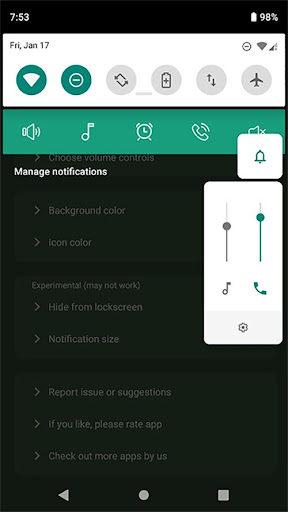
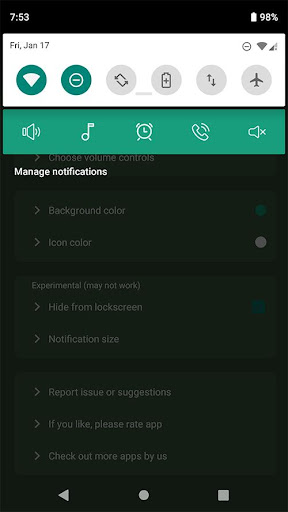
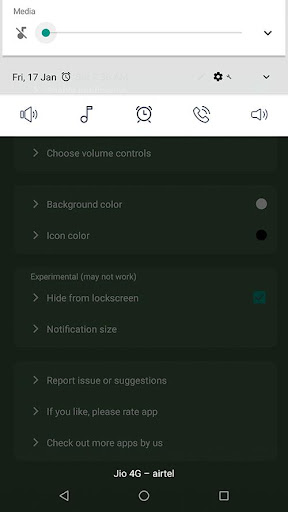
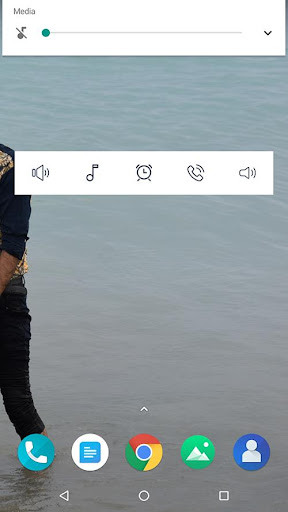
What if these volume sliders are directly available to you in notification bar ? Just swipe down and access volume in notification bar. isn't it quick and easy?
Control volume from notification bar without pressing physical volume keys.
This is the small little app (150 kb in size) without any nasty permissions or background services.
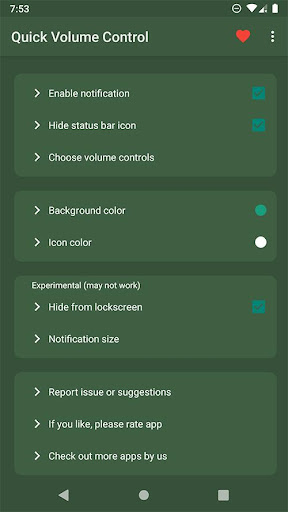
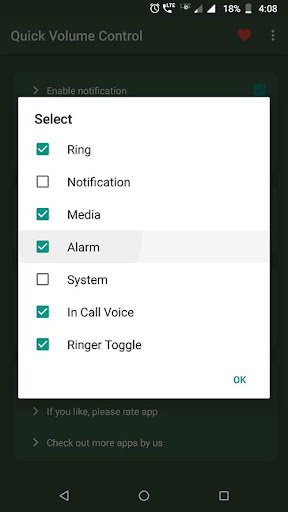
It provides maximum customisation options with clean simple UI. app allows notification toggles for volume sliders: Ring, Notification, Alarm, Music, In call and system(dial tone).
Notification toggles are customisable with background and icon colour.
Choose volume toggles those you want to access from notification,
Ringer mode toggle is available to control and change ringer modes quickly such as Silent, Vibrate and normal.
Features:
☑ Quickly control volumes from notification bar
☑ Change back color and icon color for notification toggles
☑ Add/remove notification toggles
☑ Ringer mode notification toggle
☑ Widget on your home-screen
☑ No nasty permissions
☑ Small size (150 kb)
Note:
• App need do not disturb permission for changing ringer modes.
• Not all device support Ring and notification volumes separately. so if your device belongs to that category, you can hide. notification toggle from option in app main screen.
Please email us if you find any issues or if you have any suggestions. we works to improve user experiences and enhance app with best features.
email us at bhanualiarvind@gmail.com
If you like the app, please leave your review on playstore.
What if these volume sliders are directly available to you in notification bar ? Just swipe down and access volume in notification bar. isn't it quick and easy?
Control volume from notification bar without pressing physical volume keys.
This is the small little app (150 kb in size) without any nasty permissions or background services.
It provides maximum customisation options with clean simple UI. app allows notification toggles for volume sliders: Ring, Notification, Alarm, Music, In call and system(dial tone).
Notification toggles are customisable with background and icon colour.
Choose volume toggles those you want to access from notification,
Ringer mode toggle is available to control and change ringer modes quickly such as Silent, Vibrate and normal.
Features:
☑ Quickly control volumes from notification bar
☑ Change back color and icon color for notification toggles
☑ Add/remove notification toggles
☑ Ringer mode notification toggle
☑ Widget on your home-screen
☑ No nasty permissions
☑ Small size (150 kb)
Note:
• App need do not disturb permission for changing ringer modes.
• Not all device support Ring and notification volumes separately. so if your device belongs to that category, you can hide. notification toggle from option in app main screen.
Please email us if you find any issues or if you have any suggestions. we works to improve user experiences and enhance app with best features.
email us at bhanualiarvind@gmail.com
If you like the app, please leave your review on playstore.
Developer email
bhanualiarvind@gmail.com
Developer website
https://sites.google.com/view/paidappsfree/homeReleased
Jan 22, 2020
Current version
1.5
Android version
5.0
Reviews & Ratings
4.2
out of 5
5
4
3
2
1
🙂 Mostly positive reviews
1,183 reviewsScreenshots