PDF Pro: Edit, Sign & Fill PDF
PDF Office Lab

4.1 stars110,541 reviews10,000,000+Free
ProductivityEveryoneVersion 7.4.3Updated 1/16/2026, 8:02:18 AM
Open in Store🏆PDF Reader Pro is an all-in-one PDF reader and PDF annotator/editor. With PDF Reader Pro, you can view, annotate, scan, fill, sign, and share PDF files with the free PDF reader. Create and sign fillable PDF forms, convert PDF documents to Word/Excel/Powerpoint/TXT, and add your e-signature to shared documents. Working with PDF documents has never been so easy.
HIGHLIGHTS:
View and Annotate PDFs
• Read PDFs easily and for free with PDF Reader Pro
• Add PDF notes and comments, highlight, underline, and strikeout text
• Search to find text fast in your PDF documents
• Bookmark PDF pages for future reference
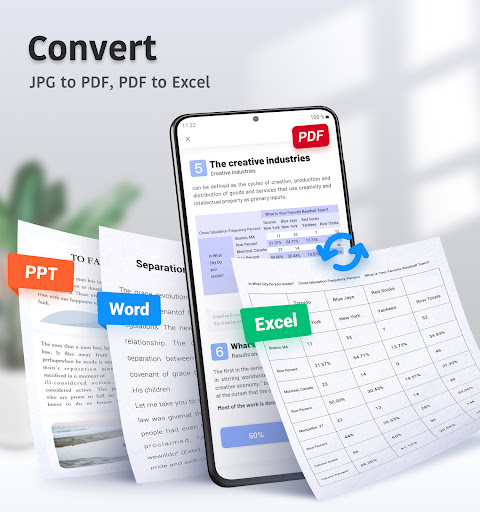
Convert PDFs to Word, Excel, PowerPoint
• Export PDFs to Microsoft Office Word, Excel, or PowerPoint
• Open an existing image to create a new PDF
Manage Files
• Star, rename, copy, move or delete PDF docs
• Access files from your Dropbox and Google Drive
Edit Text and Images
• Edit PDF text and images directly
• Merge and split PDFs, delete pages, change the page order, and insert blank pages
• Add, delete, or rotate images
• Draw on PDFs
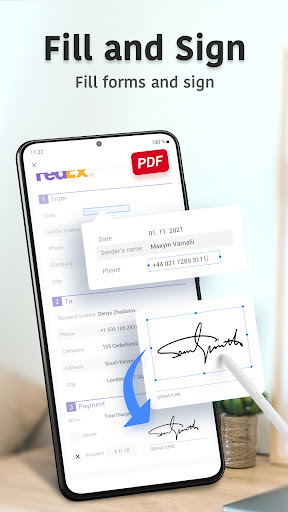
Fill and Sign PDFs
• Fill out, save, and send PDF forms
• Sign PDFs from practically anywhere
Scan Documents
• Quickly Scan all kinds of document
• Optimize clear and sharp scan quality
IN-APP PURCHASE
Subscribe for even more PDF power. Get a 3-day free trial of PDF Reader Pro now!
• Edit text and images right in your PDF document
• Combine files into one PDF file and organize pages
• Create PDF files from documents or images
• Export PDFs to Microsoft Word, Excel, or PowerPoint
• Fill & sign, save, and send PDF forms
Have an idea to make us even better? We'd love to hear it! Please add your feedback and contact us here: pdffeedback@wps.com
HIGHLIGHTS:
View and Annotate PDFs
• Read PDFs easily and for free with PDF Reader Pro
• Add PDF notes and comments, highlight, underline, and strikeout text
• Search to find text fast in your PDF documents
• Bookmark PDF pages for future reference
Convert PDFs to Word, Excel, PowerPoint
• Export PDFs to Microsoft Office Word, Excel, or PowerPoint
• Open an existing image to create a new PDF
Manage Files
• Star, rename, copy, move or delete PDF docs
• Access files from your Dropbox and Google Drive
Edit Text and Images
• Edit PDF text and images directly
• Merge and split PDFs, delete pages, change the page order, and insert blank pages
• Add, delete, or rotate images
• Draw on PDFs
Fill and Sign PDFs
• Fill out, save, and send PDF forms
• Sign PDFs from practically anywhere
Scan Documents
• Quickly Scan all kinds of document
• Optimize clear and sharp scan quality
IN-APP PURCHASE
Subscribe for even more PDF power. Get a 3-day free trial of PDF Reader Pro now!
• Edit text and images right in your PDF document
• Combine files into one PDF file and organize pages
• Create PDF files from documents or images
• Export PDFs to Microsoft Word, Excel, or PowerPoint
• Fill & sign, save, and send PDF forms
Have an idea to make us even better? We'd love to hear it! Please add your feedback and contact us here: pdffeedback@wps.com
Developer email
pdffeedback@wps.com
Developer website
https://pdf.wps.com/Released
Nov 13, 2019
Current version
7.4.3
Android version
5.0
Reviews & Ratings
4.1
out of 5
5
4
3
2
1
⚠️ Users report mixed experiences
110,541 reviewsScreenshots