Iriun 4K Webcam for PC and Mac
Iriun Oy

3.6 stars15,217 reviews10,000,000+Free
ToolsEveryoneVersion 2.9.2Updated 4/2/2026, 12:34:29 PM
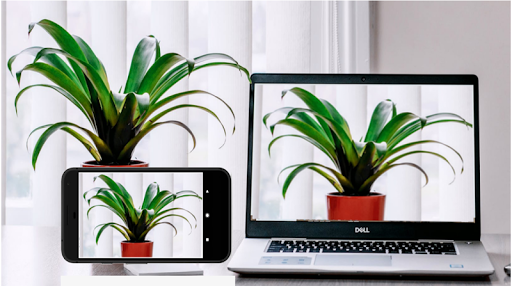
Open in StoreUse your Android phone's camera as a wireless webcam in PC or Mac. Install needed drivers and use your phone with Teams, Zoom, OBS etc video applications.
Installing drivers for the computer:
Please make sure to download the needed drivers for your PC from https://iriun.com
Using webcam:
1. Launch Iriun Webcam app on your phone
2. Start Iriun Webcam Server on your PC
3. The phone is connected automatically to your PC using wireless WiFi network and the camera is ready to use.
4. Configure your desktop application to use Iriun Webcam as source for audio and video
Features:
- Works with screen off
- Connects with WiFi or USB.
- Supports resolutions up to 4K. (Max resolution depends on the phone model)
- Pinch zoom
- Mirroring
Pro version features:
• No watermark
• Manually adjust ISO, exposure and white balance
• Remotely control camera from the Desktop too
• No Ads
Installing drivers for the computer:
Please make sure to download the needed drivers for your PC from https://iriun.com
Using webcam:
1. Launch Iriun Webcam app on your phone
2. Start Iriun Webcam Server on your PC
3. The phone is connected automatically to your PC using wireless WiFi network and the camera is ready to use.
4. Configure your desktop application to use Iriun Webcam as source for audio and video
Features:
- Works with screen off
- Connects with WiFi or USB.
- Supports resolutions up to 4K. (Max resolution depends on the phone model)
- Pinch zoom
- Mirroring
Pro version features:
• No watermark
• Manually adjust ISO, exposure and white balance
• Remotely control camera from the Desktop too
• No Ads
Developer email
mail@iriun.com
Developer website
https://iriun.comReleased
May 8, 2018
Current version
2.9.2
Android version
6.0
Reviews & Ratings
3.6
out of 5
5
4
3
2
1
😐 Reviews are mixed
15,217 reviewsScreenshots