Simply Adaptive Icon Pack
PizzApp Design

4.2 stars630 reviews10,000+$0.99
PersonalizationEveryoneVersion 7.2Updated 11/13/2026, 11:54:36 AM
Open in Store🔮Make your icons feel at home with your wallpaper.
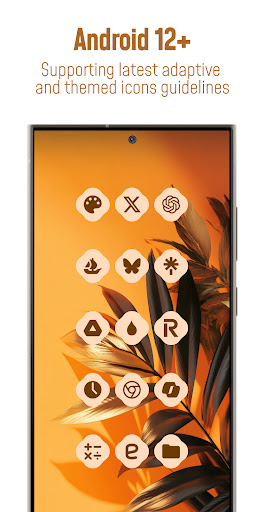
Simply Adaptive is a Material You adaptive icon pack for Android 12 and newer. On supported launchers, icons use colors inspired by your wallpaper and adapt to light and dark modes. You can also choose from supported icon shapes, such as rounded squares and teardrops.
📱 WHAT’S INCLUDED
• 30,000+ Material You icons
• Support for 50,000+ apps
• Exclusive dynamic wallpapers
• Dynamic calendar icons on supported launchers
• Theme-accent icon masking for unthemed apps
• Adaptive shape
• Dark / Light mode
• Free and premium icon requests
• Regular updates
🎨 HOW TO APPLY
1. Install a launcher that supports themed icon packs, or use a supported device customization method.
2. Open Iridescent and tap Apply, or select the icon pack in your launcher’s settings.
3. Choose an icon shape in your launcher’s settings, if supported.
Compatible launchers and options include: Hyperion, KISS, Kvaesitso, Lawnchair, Niagara, Nothing, Nova Launcher, POCO, Smart, Square and TinyBit. Pixel devices can use Shortcut Maker
Samsung One UI devices can use Theme Park.
Themed colors, icon shapes and other features depend on your launcher and device.
📝 MISSING AN ICON?
Send a free icon request from the app. Premium requests are also available. Visit the in-app FAQ for help with common questions.
🛠 SUPPORT & COMMUNITY
Email: pizzappdesign@protonmail.com
Telegram: t.me/customizerscommunity
More links: linktr.ee/pizzappdesign
Developer email
pizzappdesign@protonmail.com
Developer website
https://linktr.ee/pizzappdesignReleased
Dec 16, 2024
Current version
7.2
Android version
12
Reviews & Ratings
4.2
out of 5
5
4
3
2
1
🙂 Mostly positive reviews
630 reviewsScreenshots