USB Media Explorer
Homesoft, LLC

3.8 stars14,168 reviews500,000+$4.99
PhotographyEveryoneVersion 11.5.2Updated 8/22/2025, 6:35:21 PM
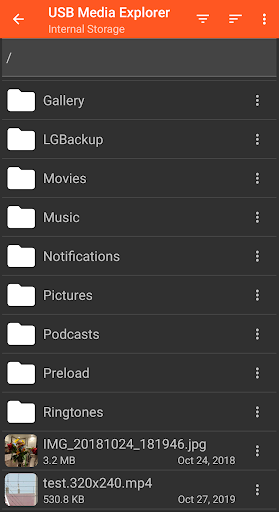
Open in StoreUSB Media Explorer (UME), formerly known as Nexus Media Importer, allows you view photos (Jpeg and Raw), stream videos1, listen to music, and view documents from USB storage devices and cameras. Specialized screens for photos, videos, music, documents and file management. Copy files to and from the USB device. View full size photos and videos without importing!
Supported Devices:
- Flash/Pen Drives
- Card Readers
- Hard Drives2
- Cameras3
- Other Android devices4
- MTP/UMS audio players5
- Some DVD drives6
Additional Hardware Requirements:
- Connecting most devices will require a microUSB OTG cable or USB C to USB adapter. These are available from most major retail websites.
Notes:
1. Video and audio formats not natively supported by Android (AVI, Dolby, DTS, WMV) may require a third party player like VLC.
2. Hard drives require considerable power and may require an external power source, like a powered USB hub.
3. Only cameras with storage are supported. Live image devices like endoscopes and webcams are not supported.
4. To access another Android device, put the target device in MTP/File Transfer Mode.
5. Most “i” devices use a proprietary protocol. These are NOT supported.
6. Only DVD drives that support AV Connect mode or similar are supported. See your DVD drive manual. Commercial DVDs are not supported.
Support:
- If you have an issue, you can tap "Homesoft" from the About screen for email support. I read and reply to reviews, but due to their one way nature, it’s difficult to resolve issues. If you have a support request, please include the Android device you are using, the USB device you are trying to use and a description of the problem.
Supported Devices:
- Flash/Pen Drives
- Card Readers
- Hard Drives2
- Cameras3
- Other Android devices4
- MTP/UMS audio players5
- Some DVD drives6
Additional Hardware Requirements:
- Connecting most devices will require a microUSB OTG cable or USB C to USB adapter. These are available from most major retail websites.
Notes:
1. Video and audio formats not natively supported by Android (AVI, Dolby, DTS, WMV) may require a third party player like VLC.
2. Hard drives require considerable power and may require an external power source, like a powered USB hub.
3. Only cameras with storage are supported. Live image devices like endoscopes and webcams are not supported.
4. To access another Android device, put the target device in MTP/File Transfer Mode.
5. Most “i” devices use a proprietary protocol. These are NOT supported.
6. Only DVD drives that support AV Connect mode or similar are supported. See your DVD drive manual. Commercial DVDs are not supported.
Support:
- If you have an issue, you can tap "Homesoft" from the About screen for email support. I read and reply to reviews, but due to their one way nature, it’s difficult to resolve issues. If you have a support request, please include the Android device you are using, the USB device you are trying to use and a description of the problem.
Developer email
apps.homesoft+nmi@gmail.com
Developer website
http://homesoft.info/nmi/Released
Aug 9, 2012
Current version
11.5.2
Android version
6.0
Reviews & Ratings
3.8
out of 5
5
4
3
2
1
⚠️ Users report mixed experiences
14,168 reviewsScreenshots