My Perfect Pizza House
HOLA GAME

3.8 stars5,298 reviews5,000,000+Free
SimulationEveryoneVersion 1.2.3Updated 4/17/2026, 11:13:46 AM
Open in StoreWelcome to My Perfect Pizza House!
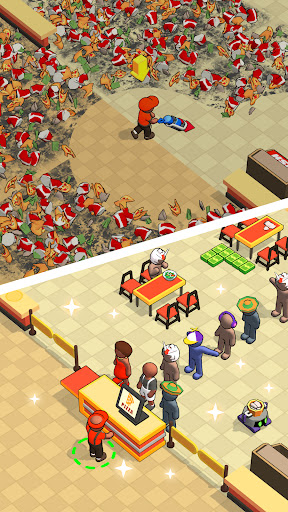
Unleash your inner entrepreneur and dive into the exciting world of pizza-making in this addictive idle game. Pizza Factory Tycoon lets you build and manage your very own pizza empire from the ground up.
# Key Features:
- Create Delicious Pizzas: Experiment with a variety of ingredients to create unique and mouth-watering pizzas that will have your customers coming back for more.
- More Food To Offer: Coffee, salad, hot dog buns, cola, ice cream
- Upgrade Your Factory: Invest in new equipment, hire skilled workers, and upgrade your facilities to increase efficiency and boost your profits.
- Expand Your Business: Unlock new locations, open more branches, and take your pizza business to new heights.
- Automate Your Production: As you progress, automate your production line to keep the pizzas rolling out even when you’re away.
- Compete in Events: Participate in special events and challenges to earn exclusive rewards.
- Engage with Customers: Urge the calling users and wake up sleepy users.
With intuitive gameplay and endless opportunities for growth, Pizza Factory Tycoon offers a fun and rewarding experience for players of all ages. Are you ready to become the ultimate pizza tycoon?
Download now and start building your pizza empire! You can find and download My Perfect Pizza House on the Google Play Store here. Enjoy the journey to becoming the best pizza tycoon in town!
Unleash your inner entrepreneur and dive into the exciting world of pizza-making in this addictive idle game. Pizza Factory Tycoon lets you build and manage your very own pizza empire from the ground up.
# Key Features:
- Create Delicious Pizzas: Experiment with a variety of ingredients to create unique and mouth-watering pizzas that will have your customers coming back for more.
- More Food To Offer: Coffee, salad, hot dog buns, cola, ice cream
- Upgrade Your Factory: Invest in new equipment, hire skilled workers, and upgrade your facilities to increase efficiency and boost your profits.
- Expand Your Business: Unlock new locations, open more branches, and take your pizza business to new heights.
- Automate Your Production: As you progress, automate your production line to keep the pizzas rolling out even when you’re away.
- Compete in Events: Participate in special events and challenges to earn exclusive rewards.
- Engage with Customers: Urge the calling users and wake up sleepy users.
With intuitive gameplay and endless opportunities for growth, Pizza Factory Tycoon offers a fun and rewarding experience for players of all ages. Are you ready to become the ultimate pizza tycoon?
Download now and start building your pizza empire! You can find and download My Perfect Pizza House on the Google Play Store here. Enjoy the journey to becoming the best pizza tycoon in town!
Developer email
holabileltc@gmail.com
Developer website
https://holagame.topReleased
Jul 11, 2024
Current version
1.2.3
Android version
7.0
Reviews & Ratings
3.8
out of 5
5
4
3
2
1
⚠️ Users report mixed experiences
5,298 reviewsScreenshots