Radar: speed cameras
Navigation Wear

3.7 stars1,451 reviews100,000+Free
Maps & NavigationEveryoneVersion 6.5Updated 7/22/2025, 12:36:39 AM
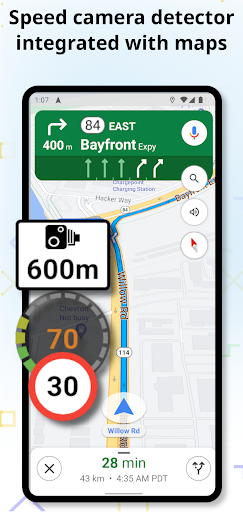
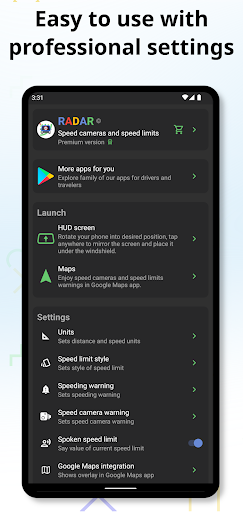
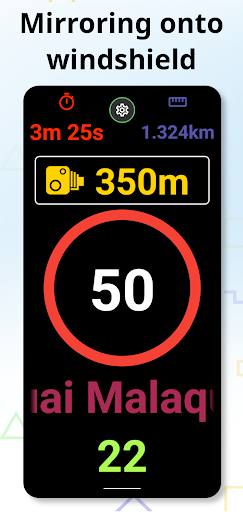
Open in StoreRadar app is powerful speedometer detecting nearby speed cameras on your road and watching current speed limits. Radar app seamlesly integrates into Google Maps app where you can enjoy all warnings for speed cameras and speed limits. Radar app also supports viewing in head-up display (HUD) mode. HUD screen supports normal viewing and screen mode which mirrors the display for viewing GPS speed, current speed limit and nearby speed cameras as a reflection on windshield. It increases your safety by projecting all navigation information right in your line of sight. Just launch the app, flip the screen by tapping on it and place your smart phone under the windshield.
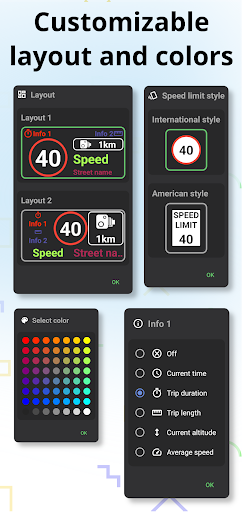
To unlock advanced features including custom color schemes, layouts, spoken speed limits or integration into Google Maps app buy premium version in application.
FEATURES
* Very easy to use
* Sound alert when speed limit is exceeded
* Sound alert when nearby speed camera is detected
* In hud screen mode can reflect all info onto windshield
* Uses GPS to get your speed
* Automatic brightness adjustment
* Adjustable sound warnings
* Integrated with Google Maps app
Speed limits data
* Speed limits and speed cameras data are from OpenStreetMap: https://osm.org
* Go to OpenStreetMap's website on your computer to update or edit speed limits data: https://osm.org
This app uses Accessibility services in order to detect foreground Google Maps app and launch automatically. All trademarks belong to their respective owners. Google Maps app is used in screenshots for demonstration purposes only.
To unlock advanced features including custom color schemes, layouts, spoken speed limits or integration into Google Maps app buy premium version in application.
FEATURES
* Very easy to use
* Sound alert when speed limit is exceeded
* Sound alert when nearby speed camera is detected
* In hud screen mode can reflect all info onto windshield
* Uses GPS to get your speed
* Automatic brightness adjustment
* Adjustable sound warnings
* Integrated with Google Maps app
Speed limits data
* Speed limits and speed cameras data are from OpenStreetMap: https://osm.org
* Go to OpenStreetMap's website on your computer to update or edit speed limits data: https://osm.org
This app uses Accessibility services in order to detect foreground Google Maps app and launch automatically. All trademarks belong to their respective owners. Google Maps app is used in screenshots for demonstration purposes only.
Developer email
feedback@headupnav.com
Developer website
http://headupnav.comReleased
Jul 23, 2017
Current version
6.5
Android version
10
Reviews & Ratings
3.7
out of 5
5
4
3
2
1
⚠️ Users report mixed experiences
1,451 reviewsScreenshots