Google Sheets
Google LLC

4.8 stars1,958,229 reviews1,000,000,000+Free
ProductivityEveryoneVersion VARYUpdated 5/4/2026, 6:29:23 PM
Open in StoreCreate, edit, and collaborate on spreadsheets from your Android phone or tablet with the Google Sheets app. With Sheets, you can:
- Create new spreadsheets or edit existing files
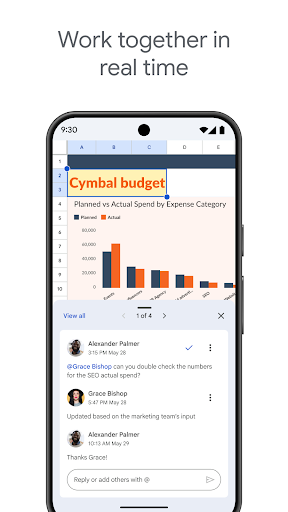
- Share spreadsheets and collaborate in the same spreadsheet at the same time.
- Work anywhere, anytime - even offline
- Add and respond to comments
- Format cells, enter or sort data, view charts, insert formulas, use find/replace, and more
- Never worry about losing your work – everything is saved automatically as you type
- Quickly get insights, insert charts, and apply formatting with smart suggestions
- Open, edit, and save Excel files.
Google Sheets is part of Google Workspace: where teams of any size can chat, create, and collaborate.
Google Workspace subscribers have access to additional Google Sheets features, including:
- Easily add collaborators to projects, see changes as they occur, receive notifications for edits that happen while you’re away, and chat with colleagues in the same spreadsheet. All changes are automatically saved as you make them. And with offline access, you can create, view, and edit files wherever and whenever
- Get insights fast, powered by Google AI
- Work seamlessly across Sheets and Excel
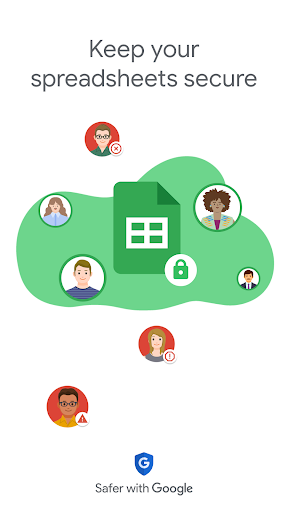
- Maintain control with enterprise-grade security
- Analyze data from other business-critical tools
- Build custom solutions
Learn more about Google Workspace: https://workspace.google.com/products/sheets/
Follow us for more:
Twitter: https://twitter.com/googleworkspace
Linkedin: https://www.linkedin.com/showcase/googleworkspace
Facebook: https://www.facebook.com/googleworkspace/
- Create new spreadsheets or edit existing files
- Share spreadsheets and collaborate in the same spreadsheet at the same time.
- Work anywhere, anytime - even offline
- Add and respond to comments
- Format cells, enter or sort data, view charts, insert formulas, use find/replace, and more
- Never worry about losing your work – everything is saved automatically as you type
- Quickly get insights, insert charts, and apply formatting with smart suggestions
- Open, edit, and save Excel files.
Google Sheets is part of Google Workspace: where teams of any size can chat, create, and collaborate.
Google Workspace subscribers have access to additional Google Sheets features, including:
- Easily add collaborators to projects, see changes as they occur, receive notifications for edits that happen while you’re away, and chat with colleagues in the same spreadsheet. All changes are automatically saved as you make them. And with offline access, you can create, view, and edit files wherever and whenever
- Get insights fast, powered by Google AI
- Work seamlessly across Sheets and Excel
- Maintain control with enterprise-grade security
- Analyze data from other business-critical tools
- Build custom solutions
Learn more about Google Workspace: https://workspace.google.com/products/sheets/
Follow us for more:
Twitter: https://twitter.com/googleworkspace
Linkedin: https://www.linkedin.com/showcase/googleworkspace
Facebook: https://www.facebook.com/googleworkspace/
Developer email
apps-help@google.com
Developer website
https://support.google.com/docs/?p=android_sheets_helpReleased
Apr 30, 2014
Current version
VARY
Android version
VARY
Reviews & Ratings
4.8
out of 5
5
4
3
2
1
🌟 Loved by users
1,958,229 reviewsScreenshots