Yellow Digital Watch Face
jigu watchface

4.2 stars193 reviews10,000+Free
PersonalizationEveryoneVersion VARYUpdated 2/20/2026, 2:28:58 PM
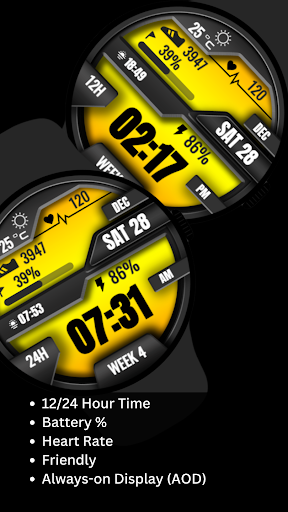
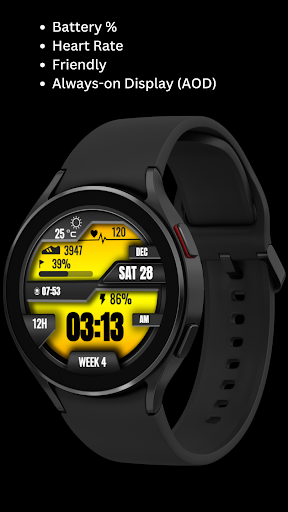
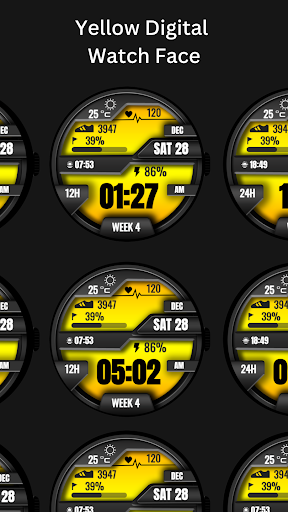
Open in StoreElevate your Wear OS experience with this vibrant yellow digital watch face! Packed with essential fitness data like step count, battery percentage, heart rate, and more, it’s perfect for tracking your daily goals. With easy-to-read time, customizable features, and stylish design, this watch face is both functional and eye-catching.
⚙️ Watch Face Features
• Date,and day of the week.
• Heart Rate
• Battery %
• Steps Counter
• Ambient Mode
• Always-on Display (AOD)
• Tap to measure heart rate
🔋 Battery
For better battery performance of the watch, we recommend disabling the "Always On Display" mode.
After installing the Yellow Digital Watch Face , follow these steps:
1.Open the Companion App on your phone.
2.Tap "Install on Watch".
3.On your watch, select the Yellow Digital Watch Face from your settings or watch face gallery.
Your watch face is now ready to use !
✅ Compatible with all Wear OS devices API 30+ including such as Google Pixel Watch, Samsung Galaxy Watch etc.
Not suitable for rectangular watches.
Thank you !
⚙️ Watch Face Features
• Date,and day of the week.
• Heart Rate
• Battery %
• Steps Counter
• Ambient Mode
• Always-on Display (AOD)
• Tap to measure heart rate
🔋 Battery
For better battery performance of the watch, we recommend disabling the "Always On Display" mode.
After installing the Yellow Digital Watch Face , follow these steps:
1.Open the Companion App on your phone.
2.Tap "Install on Watch".
3.On your watch, select the Yellow Digital Watch Face from your settings or watch face gallery.
Your watch face is now ready to use !
✅ Compatible with all Wear OS devices API 30+ including such as Google Pixel Watch, Samsung Galaxy Watch etc.
Not suitable for rectangular watches.
Thank you !
Developer email
jigsdevganiya12345@gmail.com
Developer website
https://jiguprivacypolicywatchfacewear.blogspot.com/Released
Dec 28, 2024
Current version
VARY
Android version
VARY
Reviews & Ratings
4.2
out of 5
5
4
3
2
1
🙂 Mostly positive reviews
193 reviewsScreenshots