FW101 Digital Watch Face
Fenivan Watch Faces

4.6 stars49 reviews1,000+$0.49
PersonalizationEveryoneVersion VARYUpdated 10/26/2025, 2:56:11 PM
Open in StoreColorful digital watch face for Wear OS
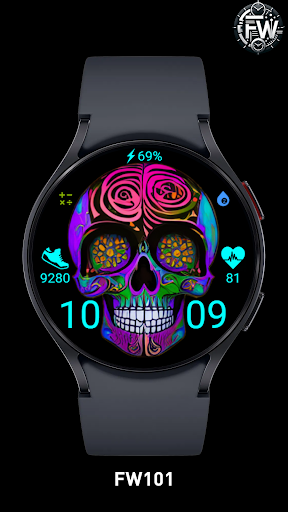
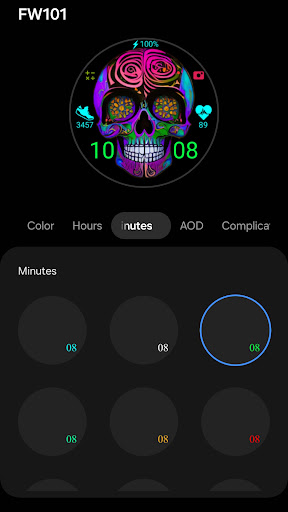
FW101 features:
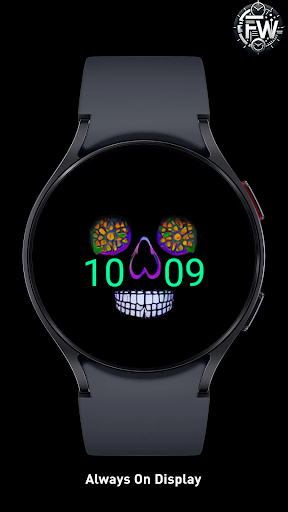
Digital time, AOD,
Heart rate,
Steps count,
Battery data,
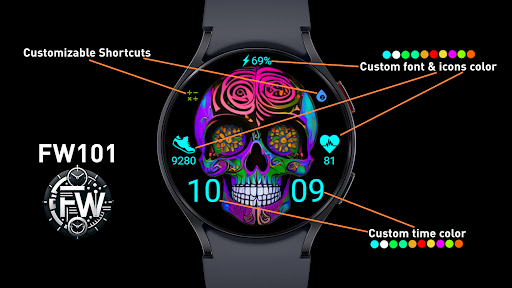
2 custom complications
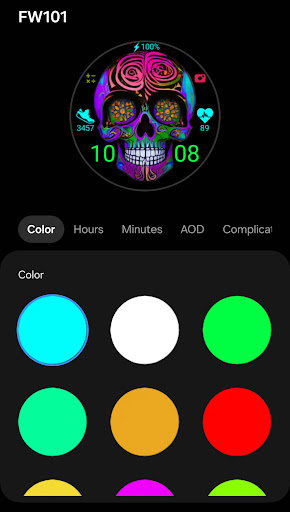
Color customizations:
Change color of Battery, Steps and Heart rate
Change color of Time (Hours) and (Minutes) independently
Change color of Time on Always on Display (AOD)
Install instructions:
Please adhere to the onscreen prompts provided by the companion phone application.
Click the "Install" button and patiently await the app to appear on your watch; subsequently, tap "Install" on the watch.
If the watch face prompts for payment again, there's no need to worry, as it is not synchronized and won't result in a double charge.
Alternatively, you can use other installation methods: locate the watch face through your browser, then opt to install it on your preferred watch from the dropdown menu.
FW101 features:
Digital time, AOD,
Heart rate,
Steps count,
Battery data,
2 custom complications
Color customizations:
Change color of Battery, Steps and Heart rate
Change color of Time (Hours) and (Minutes) independently
Change color of Time on Always on Display (AOD)
Install instructions:
Please adhere to the onscreen prompts provided by the companion phone application.
Click the "Install" button and patiently await the app to appear on your watch; subsequently, tap "Install" on the watch.
If the watch face prompts for payment again, there's no need to worry, as it is not synchronized and won't result in a double charge.
Alternatively, you can use other installation methods: locate the watch face through your browser, then opt to install it on your preferred watch from the dropdown menu.
Developer email
fenivanwatchfaces@gmail.com
Released
Jun 19, 2024
Current version
VARY
Android version
VARY
Reviews & Ratings
4.6
out of 5
5
4
3
2
1
🌟 Loved by users
49 reviewsScreenshots