QR Scanner & Read All Barcode
Exo Application

3.2 stars248 reviews100,000+Free
ProductivityEveryoneVersion 1.0.8Updated 10/8/2026, 12:04:58 PM
Open in StoreQR Scanner & Read All Barcode app helps you access information and manage your scans with ease. All you need to do is point your camera at the scan code and get the results. Download this app now!
🟢 Highlight Features
➤ Speedy read QR codes
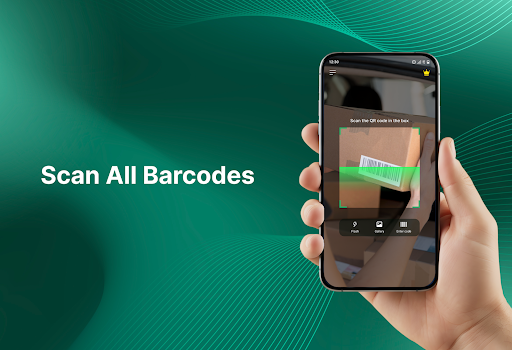
➤ Scan all types of barcodes
➤ Fast and accurate results
➤ Create your own QR codes
➤ View your scan history anytime
✅ QR CODE SCANNER
Quickly scan any QR code with your phone camera and get instant results. The app detects codes automatically, allowing you to open links, view information, or access content.
✅ BARCODE SCANNER
Easily scan different types of barcodes from products, packages, or documents. The app helps you quickly check product details or basic information without needing to search manually, saving you time when shopping or working.
✅ GET FAST RESULTS
Enjoy smooth and accurate scanning every time. The app quickly recognizes codes and displays the correct results, helping you avoid errors and access the information you need.
✅ QR CODE GENERATOR
You can generate QR codes for links, text, contacts, and more. This feature allows you to share information easily with others in a simple way, whether for personal or work purposes.
✅ CHECK SCAN HISTORY
All your scanned codes are saved automatically, so you can access them later. You can review, manage, and reuse past results without scanning again, making it easier to stay organized.
📌 How to Use?
1. Point your camera at a QR code or barcode
2. The app will automatically detect and scan code
3. Get instant results or share your code
🟢 WHAT THIS APP IS FOR
✦ Scan menus, tickets, or QR codes anywhere
✦ Check product info quickly while shopping
✦ Open links or WiFi without typing
✦ Share links and info using QR codes
✦ Save and recheck important scans
💌 Thank you for choosing QR Scanner & Read All Barcode app. We’re always working to make your experience better and hope you enjoy using it every day.
🟢 Highlight Features
➤ Speedy read QR codes
➤ Scan all types of barcodes
➤ Fast and accurate results
➤ Create your own QR codes
➤ View your scan history anytime
✅ QR CODE SCANNER
Quickly scan any QR code with your phone camera and get instant results. The app detects codes automatically, allowing you to open links, view information, or access content.
✅ BARCODE SCANNER
Easily scan different types of barcodes from products, packages, or documents. The app helps you quickly check product details or basic information without needing to search manually, saving you time when shopping or working.
✅ GET FAST RESULTS
Enjoy smooth and accurate scanning every time. The app quickly recognizes codes and displays the correct results, helping you avoid errors and access the information you need.
✅ QR CODE GENERATOR
You can generate QR codes for links, text, contacts, and more. This feature allows you to share information easily with others in a simple way, whether for personal or work purposes.
✅ CHECK SCAN HISTORY
All your scanned codes are saved automatically, so you can access them later. You can review, manage, and reuse past results without scanning again, making it easier to stay organized.
📌 How to Use?
1. Point your camera at a QR code or barcode
2. The app will automatically detect and scan code
3. Get instant results or share your code
🟢 WHAT THIS APP IS FOR
✦ Scan menus, tickets, or QR codes anywhere
✦ Check product info quickly while shopping
✦ Open links or WiFi without typing
✦ Share links and info using QR codes
✦ Save and recheck important scans
💌 Thank you for choosing QR Scanner & Read All Barcode app. We’re always working to make your experience better and hope you enjoy using it every day.
Developer email
cantran.it@gmail.com
Developer website
https://jb6575965.app-ads-txt.com/app-ads.txtReleased
May 12, 2026
Current version
1.0.8
Android version
8.0
Reviews & Ratings
3.2
out of 5
5
4
3
2
1
😕 Lower user ratings overall
248 reviewsScreenshots