Entrust Identity
Entrust

3.9 stars7,592 reviews1,000,000+Free
ToolsEveryoneVersion 26.2.1Updated 5/1/2026, 4:41:17 PM
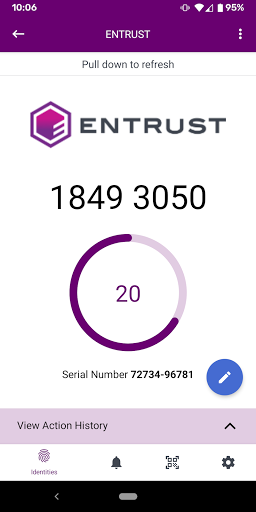
Open in StoreThe Entrust Identity mobile application is the new Entrust mobile platform for delivering strong identity credentials to both employee and consumer users. With this version of the application, users will continue to benefit from the authentication and transaction verification capabilities that replace hardware tokens, while adding advanced password reset capabilities for employee use cases.
One Application, Multiple Uses
The Entrust Identity application allows you to create identities and activate unique one time passcode soft token applications for use with different organizations that use the Entrust Identity IAM platforms for strong authentication.
Verify Transactions
Protect yourself when initiating any type of online transaction such as account login, financial transactions, etc by receiving confirmation of your transactions right to your mobile application. Confirm the details and enter your secure, one time passcode to complete the transaction.
Manage Employee Passwords
When password reset and unlock management becomes a burden for an IT department, allowing employees to manage their passwords right from this mobile application improves the experience for everyone. Employees will use the same strong credential they would when managing passwords through web portals to simplify the process – without compromising security.
Entrust combines security with usability for millions of customers across the globe.
For more information on Entrust and the Entrust Identity mobile applications please see:
Information about Entrust: www.entrust.com
Information about the Entrust Identity mobile app: www.entrust.com/mobile/info
One Application, Multiple Uses
The Entrust Identity application allows you to create identities and activate unique one time passcode soft token applications for use with different organizations that use the Entrust Identity IAM platforms for strong authentication.
Verify Transactions
Protect yourself when initiating any type of online transaction such as account login, financial transactions, etc by receiving confirmation of your transactions right to your mobile application. Confirm the details and enter your secure, one time passcode to complete the transaction.
Manage Employee Passwords
When password reset and unlock management becomes a burden for an IT department, allowing employees to manage their passwords right from this mobile application improves the experience for everyone. Employees will use the same strong credential they would when managing passwords through web portals to simplify the process – without compromising security.
Entrust combines security with usability for millions of customers across the globe.
For more information on Entrust and the Entrust Identity mobile applications please see:
Information about Entrust: www.entrust.com
Information about the Entrust Identity mobile app: www.entrust.com/mobile/info
Developer email
support@entrust.com
Developer website
http://www.entrust.comReleased
Dec 22, 2010
Current version
26.2.1
Android version
12
Reviews & Ratings
3.9
out of 5
5
4
3
2
1
⚠️ Users report mixed experiences
7,592 reviewsScreenshots