USB Endoscope camera
kahlochSto

1.2 stars62 reviews10,000+Free
Libraries & DemoEveryoneVersion 1.0Updated 7/7/2025, 1:22:46 AM
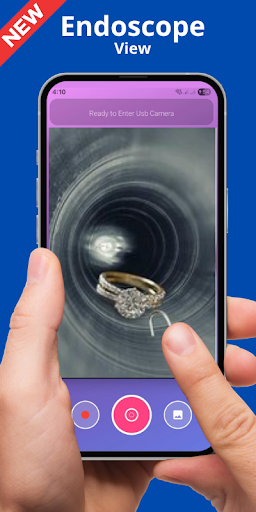
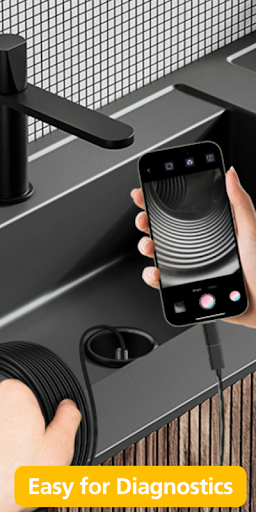
Open in StoreSimply connect the USB Endoscope camera to your smartphone's USB port. You can only connect USB cameras that support the standard. Your phone must have USB function ,, Fire, etc.).
All Endoscopes Supported:
Chinese endoscopes
Connecting IP Cameras:
Tips:
- Connect both USB Endoscope camera and IP camera
- Listen and record live audio
- Record video to external SD card
- Image zoom up to x10
Choose a public folder (or SD card) to save your videos:
You can save your videos in any public folder both in internal memory and on SD card.
You can use a USB Endoscope camera, any IP camera.
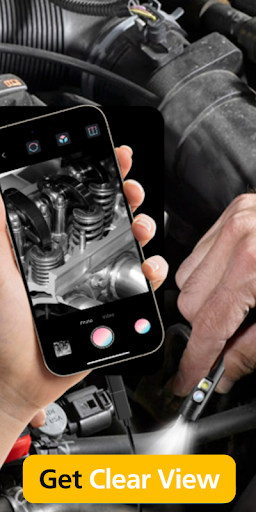
Endoscopic camera application for Android, connect to an endoscopic camera or any other device like a USB camera or endoscope camera, there are many devices that use an external camera like a sewer inspection camera.
All Endoscopes Supported:
Chinese endoscopes
Connecting IP Cameras:
Tips:
- Connect both USB Endoscope camera and IP camera
- Listen and record live audio
- Record video to external SD card
- Image zoom up to x10
Choose a public folder (or SD card) to save your videos:
You can save your videos in any public folder both in internal memory and on SD card.
You can use a USB Endoscope camera, any IP camera.
Endoscopic camera application for Android, connect to an endoscopic camera or any other device like a USB camera or endoscope camera, there are many devices that use an external camera like a sewer inspection camera.
Developer email
lwiboltdsbiti@gmail.com
Developer website
https://kahlochsto.blogspot.com/ads.txtReleased
Jul 6, 2025
Current version
1.0
Android version
11
Reviews & Ratings
1.2
out of 5
5
4
3
2
1
🚫 Very low user satisfaction
62 reviewsScreenshots