Retrofit Icon Pack
DrumDestroyer Themes

4.5 stars263 reviews10,000+$1.99
PersonalizationEveryoneVersion 16.0.0Updated 8/30/2024, 2:26:38 PM
Open in StorePLEASE RATE AND REVIEW!!
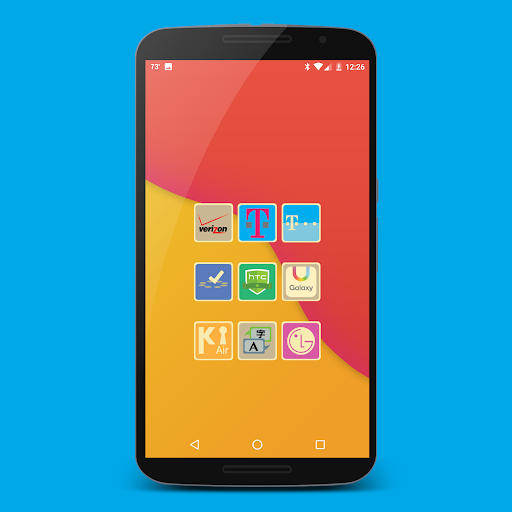
Retrofit is organically designed individually without throwing a filter over pre-existing icons. Featuring the highest quality iconography, 10+ matching wallpapers included, and full launcher support for all popular launchers!
FEATURES
• Ultra-crisp ultimate HD quality iconography
• Beautiful HD retro style icons
• Alternate icon colors and styles for perfect personalization
• Exclusive Samsung and Cyanogen C-Apps style app designs, also included as alternates
• Includes exclusive blacked-out icon pack additions
• Post any requests in my beta community: https://plus.google.com/u/0/communities/112270713504276501453
• 10+ matching wallpapers included
• Support for popular dynamic calendars (System / Today / Google / Sunrise)
• Dynamic calendar displays current date
• Settings shortcut icons support
• Matching clock widget included
• Easily request icons, search, and more
• Supports Muzei live wallpaper
• Frequent updates
LAUNCHER SUPPORT
• Built-in support for Nova, Action, Aviate, Cyanogen, Apex, Everything.me, GO, Inspire, KK, Lucid, Next, Nine, Smart, Solo, TSF and Themer
• Full support for all popular launchers, simply apply from your launcher settings
• Unicon and XGELS support
Now supporting Sony Launcher
STAY TUNED
BETA Requests- https://goo.gl/3iFXbx (Google+ Community Beta Stream)
Google+- https://google.com/+DrumDestroyerThemes
Twitter- https://twitter.com/drumdestroyer
Facebook- https://www.facebook.com/TimothyTheHammerAustin
Retrofit is organically designed individually without throwing a filter over pre-existing icons. Featuring the highest quality iconography, 10+ matching wallpapers included, and full launcher support for all popular launchers!
FEATURES
• Ultra-crisp ultimate HD quality iconography
• Beautiful HD retro style icons
• Alternate icon colors and styles for perfect personalization
• Exclusive Samsung and Cyanogen C-Apps style app designs, also included as alternates
• Includes exclusive blacked-out icon pack additions
• Post any requests in my beta community: https://plus.google.com/u/0/communities/112270713504276501453
• 10+ matching wallpapers included
• Support for popular dynamic calendars (System / Today / Google / Sunrise)
• Dynamic calendar displays current date
• Settings shortcut icons support
• Matching clock widget included
• Easily request icons, search, and more
• Supports Muzei live wallpaper
• Frequent updates
LAUNCHER SUPPORT
• Built-in support for Nova, Action, Aviate, Cyanogen, Apex, Everything.me, GO, Inspire, KK, Lucid, Next, Nine, Smart, Solo, TSF and Themer
• Full support for all popular launchers, simply apply from your launcher settings
• Unicon and XGELS support
Now supporting Sony Launcher
STAY TUNED
BETA Requests- https://goo.gl/3iFXbx (Google+ Community Beta Stream)
Google+- https://google.com/+DrumDestroyerThemes
Twitter- https://twitter.com/drumdestroyer
Facebook- https://www.facebook.com/TimothyTheHammerAustin
Developer email
drumdestroyerthemes@gmail.com
Released
Dec 8, 2014
Current version
16.0.0
Android version
5.0
Reviews & Ratings
4.5
out of 5
5
4
3
2
1
😊 Highly rated by users
263 reviewsScreenshots