Game Mode
devayu labs

4.9 stars21,783 reviews5,000,000+Free
ProductivityEveryoneVersion 0.1.0-rc337Updated 10/8/2026, 9:51:57 AM
Open in StoreGame Booster keeps your games and useful gaming controls in one place.
FEATURES
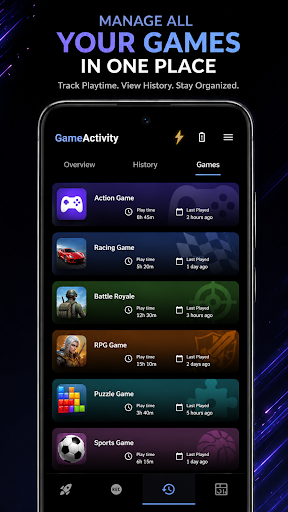
• Create a personal game library and launch games quickly.
• Control brightness, volume, screen rotation and touch lock.
• Use a customizable crosshair, performance information, sound visualizer and supported haptic controls.
• Take screenshots and record gameplay.
• Apply a selected DNS server through Android’s local VPN interface.
NETWORK OPTIMIZER
The Network Optimizer does not route traffic through a remote VPN server and does not guarantee lower ping, faster internet or better game performance.
IMPORTANT
Game Booster does not modify games, provide cheats, change game files or guarantee higher FPS. Features depend on your device and Android version. Some tools require overlay, recording, notification or VPN permissions.
Support: devayulabs@gmail.com
FEATURES
• Create a personal game library and launch games quickly.
• Control brightness, volume, screen rotation and touch lock.
• Use a customizable crosshair, performance information, sound visualizer and supported haptic controls.
• Take screenshots and record gameplay.
• Apply a selected DNS server through Android’s local VPN interface.
NETWORK OPTIMIZER
The Network Optimizer does not route traffic through a remote VPN server and does not guarantee lower ping, faster internet or better game performance.
IMPORTANT
Game Booster does not modify games, provide cheats, change game files or guarantee higher FPS. Features depend on your device and Android version. Some tools require overlay, recording, notification or VPN permissions.
Support: devayulabs@gmail.com
Developer email
devayulabs@gmail.com
Developer website
https://devayulabs.github.ioReleased
Jul 11, 2024
Current version
0.1.0-rc337
Android version
7.0
Reviews & Ratings
4.9
out of 5
5
4
3
2
1
🌟 Loved by users
21,783 reviewsScreenshots