Data Copy
LOGICLABS LIMITED

4.3 stars525 reviews100,000+Free
ToolsEveryoneVersion 1.2.7Updated 6/19/2025, 10:04:01 AM
Open in Store📱 Data Copy is the ultimate solution for data transfer between phones. Effortlessly copy your contacts, photos, videos and seamlessly transfer to new device. With cross-platform support, you can easily copy data from iPhone to Android or Android to iPhone, making switching devices hassle-free.
HOW TO USE
📲 Install Data Copy on both devices.
🌐 Connect both phones to the same Wi-Fi network.
🔄 Select the data you want to copy, including photos, videos, contacts, apps, and more.
🚀 Hit transfer, and let the app move your content in just a few moments.
Experience fast, secure, and seamless data copy with Data Copy. No cables or data consumption required — just choose transfer option and start copying. You can also use multiple transfering way such as Wifi, Drive, OneDrive, etc.
KEY FEATURES
🔁 Cross-Platform Transfer: Easily transfer data and copy between Android and iOS.
🔒 Secure File Sharing: Copy all data safely while ensuring privacy intact.
⚡ Fast & Efficient: Transfer large files quickly at speeds of up to 30MB/s.
🔄 Multiple Transfer Options: Choose between Wi-Fi or Drive for a flexible data transfer experience.
🔍 Selective Data Transfer: Choose specific data to copy or transfer everything in one go.
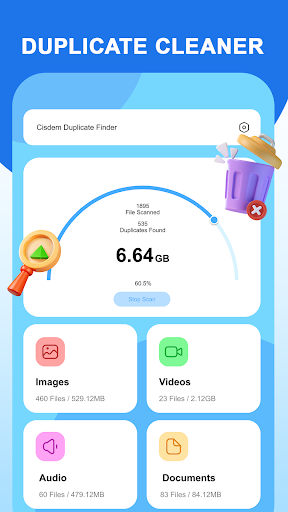
🧹 Duplicate Cleaner: Automatically detect and remove duplicates to keep your data organized.
📚 User-Friendly Design: Step-by-step instructions make data copying and backup simple.
🚀 Download now and enjoy hassle-free copying and transferring of all your important data. Say goodbye to complicated transfers — let Data Copy do all the work with just one button! 🚀
HOW TO USE
📲 Install Data Copy on both devices.
🌐 Connect both phones to the same Wi-Fi network.
🔄 Select the data you want to copy, including photos, videos, contacts, apps, and more.
🚀 Hit transfer, and let the app move your content in just a few moments.
Experience fast, secure, and seamless data copy with Data Copy. No cables or data consumption required — just choose transfer option and start copying. You can also use multiple transfering way such as Wifi, Drive, OneDrive, etc.
KEY FEATURES
🔁 Cross-Platform Transfer: Easily transfer data and copy between Android and iOS.
🔒 Secure File Sharing: Copy all data safely while ensuring privacy intact.
⚡ Fast & Efficient: Transfer large files quickly at speeds of up to 30MB/s.
🔄 Multiple Transfer Options: Choose between Wi-Fi or Drive for a flexible data transfer experience.
🔍 Selective Data Transfer: Choose specific data to copy or transfer everything in one go.
🧹 Duplicate Cleaner: Automatically detect and remove duplicates to keep your data organized.
📚 User-Friendly Design: Step-by-step instructions make data copying and backup simple.
🚀 Download now and enjoy hassle-free copying and transferring of all your important data. Say goodbye to complicated transfers — let Data Copy do all the work with just one button! 🚀
Developer email
pttphuong0604support@gmail.com
Developer website
https://remotetvroku.netlify.app/Released
Nov 14, 2024
Current version
1.2.7
Android version
5.0
Reviews & Ratings
4.3
out of 5
5
4
3
2
1
🙂 Mostly positive reviews
525 reviewsScreenshots