Hide - Blue Ticks or Last Seen
Hide Application

4.4 stars19,332 reviews1,000,000+Free
CommunicationMature 17+Version 12.8Updated 9/9/2025, 11:20:54 AM
Open in StoreIf you don’t want others to know that you are reading their messages, Hide - Blue Ticks or Last Seen is made for you!
Recover back your privacy on social networks and chats with this amazing app. You now have the freedom to read your friend's incoming messages incognito, without leaving any last seen notice or blue double checks, and it works for all the top messaging apps.
Finally! No more read receipts, no check marks, no blue double tick or last seen!
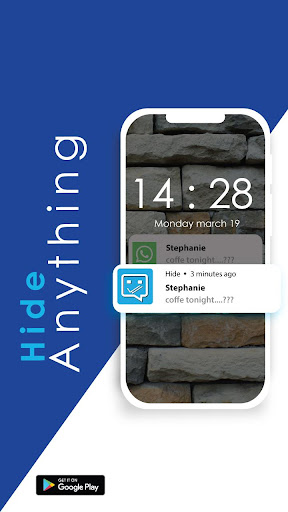
Hide - Blue Ticks or Last Seen is really easy to use: when you receive a message from one of these messenger apps, it will also be received in the Hide - Blue Ticks or Last Seen application. There, you can read it freely, whenever you want, without having any of your friends knowing that you have seen it.
No need to remove internet connection or activate offline mode:
Hide - Blue Ticks or Last Seen provides a beautiful design and a simple to use interface where you can easily access messages and even sort them by messenger!
Here are some of the awesome features available in Hide - Blue Ticks or Last Seen :
READ YOUR MESSAGES INCOGNITO
- No last seen, No Blue ticks, No Last time seen for all popular chatting apps.
- Read chat messages invisibly and incognito.
- Enjoy your photos, videos and audio files without leaving the double blue check notice
- Also, you can now hide your private photos and videos
- Make your photos and videos hidden from the outside world.
DISCLAIMER
All trademarks displayed on this applications are the property of their respective owners.
None of these companies' logos are displayed on the app.
Recover back your privacy on social networks and chats with this amazing app. You now have the freedom to read your friend's incoming messages incognito, without leaving any last seen notice or blue double checks, and it works for all the top messaging apps.
Finally! No more read receipts, no check marks, no blue double tick or last seen!
Hide - Blue Ticks or Last Seen is really easy to use: when you receive a message from one of these messenger apps, it will also be received in the Hide - Blue Ticks or Last Seen application. There, you can read it freely, whenever you want, without having any of your friends knowing that you have seen it.
No need to remove internet connection or activate offline mode:
Hide - Blue Ticks or Last Seen provides a beautiful design and a simple to use interface where you can easily access messages and even sort them by messenger!
Here are some of the awesome features available in Hide - Blue Ticks or Last Seen :
READ YOUR MESSAGES INCOGNITO
- No last seen, No Blue ticks, No Last time seen for all popular chatting apps.
- Read chat messages invisibly and incognito.
- Enjoy your photos, videos and audio files without leaving the double blue check notice
- Also, you can now hide your private photos and videos
- Make your photos and videos hidden from the outside world.
DISCLAIMER
All trademarks displayed on this applications are the property of their respective owners.
None of these companies' logos are displayed on the app.
Developer email
apps@hideapplication.com
Developer website
http://www.hideapplication.com/Released
Jan 20, 2018
Current version
12.8
Android version
7.0
Reviews & Ratings
4.4
out of 5
5
4
3
2
1
🙂 Mostly positive reviews
19,332 reviewsScreenshots