Check Calendar - Habit Tracker
Naoki Otsu

4.3 stars11,061 reviews500,000+Free
ProductivityEveryoneVersion 14.16.1Updated 5/13/2026, 4:22:03 AM
Open in StoreCheck Calendar lets you tick your calendar to record habits.
It packs one-tap checks, notes, unlimited tabs, emojis, reports, notifications, backup/restore, dark mode, and more.
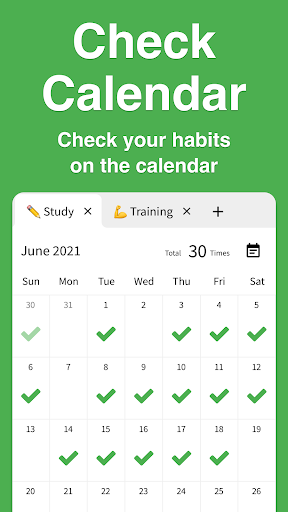
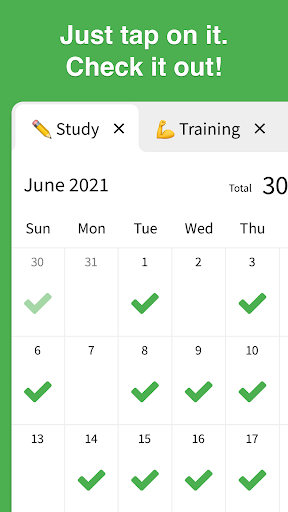
■ Check on the calendar
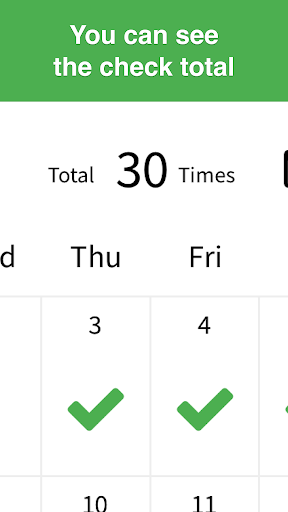
Record habits with a single tap on the calendar.
■ Notes
Supports short or long notes—write freely and keep everything.
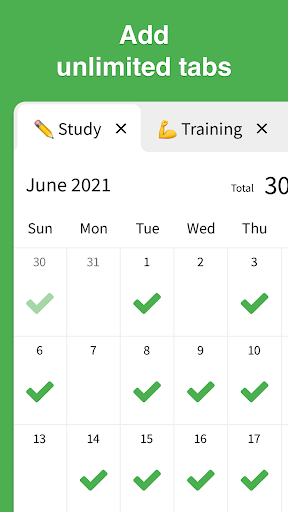
■ Unlimited tabs
Create limitless categories like "Workout," "Study," or "Reading."
■ Emojis
Change checkmarks to any emoji you like.
■ Reports
Visualize habit progress with graphs. Switch periods such as "Last 7 days," "Last 28 days," or "Last 6 months."
■ History
View check history and past note lists in one place.
■ Notifications
Send reminders with your preferred message at your preferred time to prevent forgetting habits.
■ Backup/Restore
Automatically back up and restore data, even when moving to a different device.
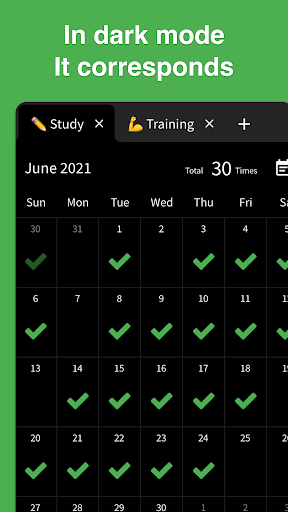
■ Dark mode
Choose from Light mode, Dark mode, or Auto based on device settings.
■ Color themes
Change the background to any color you like.
■ Archive
Hide calendars you don't want to display.
■ Biometric authentication
Supports Face ID and Touch ID to protect your valuable records.
■ CSV export
Export individual calendars or all data in CSV format.
■ Check count
Set how many times per day you can check.
■ Security
Data is stored only on your device and never sent to third parties.
■ No login required
Start using the app right away without signing in.
■ Offline support
Works even without an internet connection.
■ Privacy Policy
https://checkcalendar.app/privacy-policy
■ Contact
info@checkcalendar.app
It packs one-tap checks, notes, unlimited tabs, emojis, reports, notifications, backup/restore, dark mode, and more.
■ Check on the calendar
Record habits with a single tap on the calendar.
■ Notes
Supports short or long notes—write freely and keep everything.
■ Unlimited tabs
Create limitless categories like "Workout," "Study," or "Reading."
■ Emojis
Change checkmarks to any emoji you like.
■ Reports
Visualize habit progress with graphs. Switch periods such as "Last 7 days," "Last 28 days," or "Last 6 months."
■ History
View check history and past note lists in one place.
■ Notifications
Send reminders with your preferred message at your preferred time to prevent forgetting habits.
■ Backup/Restore
Automatically back up and restore data, even when moving to a different device.
■ Dark mode
Choose from Light mode, Dark mode, or Auto based on device settings.
■ Color themes
Change the background to any color you like.
■ Archive
Hide calendars you don't want to display.
■ Biometric authentication
Supports Face ID and Touch ID to protect your valuable records.
■ CSV export
Export individual calendars or all data in CSV format.
■ Check count
Set how many times per day you can check.
■ Security
Data is stored only on your device and never sent to third parties.
■ No login required
Start using the app right away without signing in.
■ Offline support
Works even without an internet connection.
■ Privacy Policy
https://checkcalendar.app/privacy-policy
■ Contact
info@checkcalendar.app
Developer email
info@checkcalendar.app
Developer website
https://checkcalendar.app/topReleased
Apr 30, 2021
Current version
14.16.1
Android version
7.0
Reviews & Ratings
4.3
out of 5
5
4
3
2
1
🙂 Mostly positive reviews
11,061 reviewsScreenshots