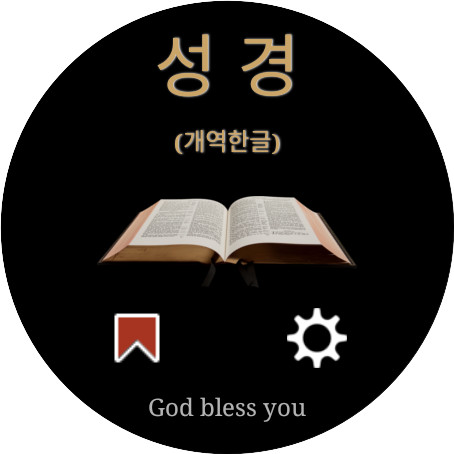
성경 (개역한글)
BlueWorld SamsungApps

0.0 stars50+$1.99
Books & ReferenceEveryoneVersion 1.3.0-KRVUpdated 7/2/2025, 6:49:19 PM
Open in StoreHere are the best Bible apps for your Google Watch for Wear OS!
This app is a “standalone” Watch Bible app designed for users who want to keep the Bible handy at all times and be able to read it anytime, anywhere.
This Bible is a Korean version of the Revised Version, and contains both the Old and New Testaments in the app, so you can read God's Word at any time even without an Internet connection.
In addition, a new Bible-to-speech (TTS) function has been added, making it very convenient to listen to the Bible while meditating, exercising, or doing household chores.
* If you search for 'BlueWorld', you can also find other translations of the Bible.
This app provides the following functions.
* Bible
It includes the Old Testament and the New Testament, a total of 66 books.
* Read the Bible
It has an automatic Bible reading function so you can continue listening to the Bible while doing other things.
You can also receive new voices through the Text-To-Speech settings in the Watch's settings menu.
* Standalone app
All Bible verses are already included in the app, so there is no need for a separate Internet connection or even pairing with a mobile phone.
* Bookmark function
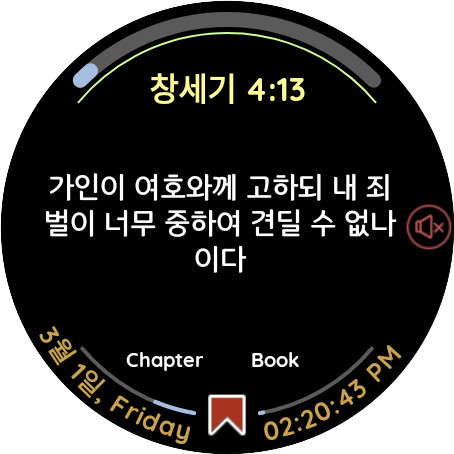
You can bookmark passages you like or want to return to later.
In addition, there is a dedicated menu to view only bookmarked verses, and you can continue reading the Bible by going directly to the corresponding book/chapter from the bookmark.
* Daily reading progress
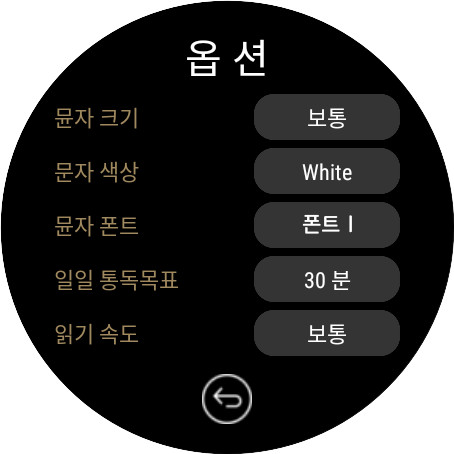
You can set your daily reading goal to be 30 minutes, 1 hour, 1.5 hours, or 2 hours.
The app automatically detects how long you've been reading the Bible and displays your daily reading progress visually at the top of the screen.
* Book/chapter reading progress
As you read the Bible, it automatically measures how much you have read of each book and chapter and displays it at the bottom of the screen.
* Statistical information on reading the entire Bible
If you click on the ‘Bible’ title at the top of the initial screen, you can see the daily statistics on the time you read the Bible and the number of books you have read for each book in a graph, and you can also reset it.
* Font
The app supports various settings such as text size, text color, and text font.
You will get the best reading experience by combining those settings.
* Book/chapter/verse navigation
You can navigate to the previous/next verse by rotating the bezel on the Bible reading screen.
Alternatively, you can navigate through passages by clicking on the left or right areas of the screen.
It also provides a function to easily select a book and chapter by clicking on the ‘book name chapter: verse’ section above the passage on the reading screen.
This app is a “standalone” Watch Bible app designed for users who want to keep the Bible handy at all times and be able to read it anytime, anywhere.
This Bible is a Korean version of the Revised Version, and contains both the Old and New Testaments in the app, so you can read God's Word at any time even without an Internet connection.
In addition, a new Bible-to-speech (TTS) function has been added, making it very convenient to listen to the Bible while meditating, exercising, or doing household chores.
* If you search for 'BlueWorld', you can also find other translations of the Bible.
This app provides the following functions.
* Bible
It includes the Old Testament and the New Testament, a total of 66 books.
* Read the Bible
It has an automatic Bible reading function so you can continue listening to the Bible while doing other things.
You can also receive new voices through the Text-To-Speech settings in the Watch's settings menu.
* Standalone app
All Bible verses are already included in the app, so there is no need for a separate Internet connection or even pairing with a mobile phone.
* Bookmark function
You can bookmark passages you like or want to return to later.
In addition, there is a dedicated menu to view only bookmarked verses, and you can continue reading the Bible by going directly to the corresponding book/chapter from the bookmark.
* Daily reading progress
You can set your daily reading goal to be 30 minutes, 1 hour, 1.5 hours, or 2 hours.
The app automatically detects how long you've been reading the Bible and displays your daily reading progress visually at the top of the screen.
* Book/chapter reading progress
As you read the Bible, it automatically measures how much you have read of each book and chapter and displays it at the bottom of the screen.
* Statistical information on reading the entire Bible
If you click on the ‘Bible’ title at the top of the initial screen, you can see the daily statistics on the time you read the Bible and the number of books you have read for each book in a graph, and you can also reset it.
* Font
The app supports various settings such as text size, text color, and text font.
You will get the best reading experience by combining those settings.
* Book/chapter/verse navigation
You can navigate to the previous/next verse by rotating the bezel on the Bible reading screen.
Alternatively, you can navigate through passages by clicking on the left or right areas of the screen.
It also provides a function to easily select a book and chapter by clicking on the ‘book name chapter: verse’ section above the passage on the reading screen.
Developer email
samsungapps.blueworld@gmail.com
Released
Jul 28, 2023
Current version
1.3.0-KRV
Android version
9
Screenshots