AI Photo Enhancer: Unblur
Blazing App Studio

Enhance photos with AI. Unblur, sharpen & upscale images
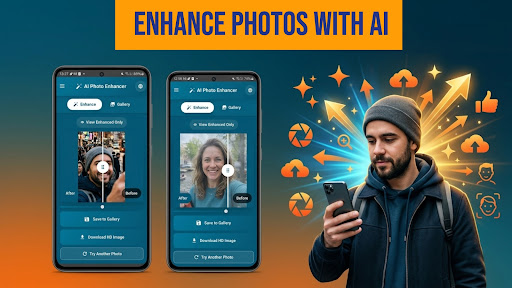
Have blurry or low-quality photos? AI Photo Enhancer uses AI-based image processing to create enhanced versions of your photos. Apply sharpening, unblur effects, and resolution adjustments with just a few taps.
✨ Unblur and Sharpen Photos
Apply AI-based enhancements to reduce blur and improve visible details in your images. Results may vary depending on the original photo.
📸 Enhance Photo Appearance
Use AI to adjust lighting, clarity, and textures to create a more refined version of your image.
🔍 Increase Image Resolution
Upscale images using AI-generated processing. Useful for sharing, viewing, or improving older photos.
👤 Adjust Faces & Details
Apply enhancements to facial areas and fine details as part of the image processing.
📂 Easy Upload & Save
Select photos from your gallery, apply enhancements, and save or share your images.
⚡ Fast & Easy to Use
Simple workflow — upload your image, apply enhancements, and view the result.
✨ Why Users Love AI Photo Enhancer:
- AI-based image enhancement tools
- Unblur and sharpen effects
- Resolution adjustment features
- Face and detail enhancements
- Simple and easy-to-use interface
- Suitable for different types of photos
📲 Whether you're improving older images or adjusting recent photos, AI Photo Enhancer offers a simple way to apply enhancements using AI.
AI Photo Enhancer – Unblur, Sharpen & Upscale Images
Have blurry or low-quality photos? AI Photo Enhancer uses AI-based image processing to create enhanced versions of your photos. Apply sharpening, unblur effects, and resolution adjustments with just a few taps.
✨ Unblur and Sharpen Photos
Apply AI-based enhancements to reduce blur and improve visible details in your images. Results may vary depending on the original photo.
📸 Enhance Photo Appearance
Use AI to adjust lighting, clarity, and textures to create a more refined version of your image.
🔍 Increase Image Resolution
Upscale images using AI-generated processing. Useful for sharing, viewing, or improving older photos.
👤 Adjust Faces & Details
Apply enhancements to facial areas and fine details as part of the image processing.
📂 Easy Upload & Save
Select photos from your gallery, apply enhancements, and save or share your images.
⚡ Fast & Easy to Use
Simple workflow — upload your image, apply enhancements, and view the result.
✨ Why Users Love AI Photo Enhancer:
- AI-based image enhancement tools
- Unblur and sharpen effects
- Resolution adjustment features
- Face and detail enhancements
- Simple and easy-to-use interface
- Suitable for different types of photos
📲 Whether you're improving older images or adjusting recent photos, AI Photo Enhancer offers a simple way to apply enhancements using AI.
Developer email
support@blazingappstudio.com
Developer website
https://blazingappstudio.com/Released
Apr 17, 2026
Current version
2.17.21
Android version
7.0
Screenshots