BILnet
Banque Internationale à Luxembourg SA

3.7 stars3,022 reviews100,000+Free
FinanceEveryoneVersion 10.6.0Updated 5/22/2026, 4:12:09 PM
Open in StoreBILnet: simple, fast and easy to use. You can now perform all of your essential transactions on your mobile!
BILnet: banking services at your fingertips.
• Manage your accounts independently
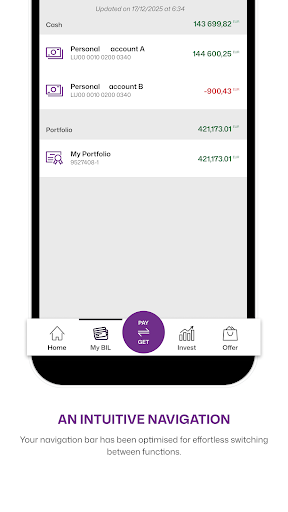
- View your account and credit card balances and transactions in real time
- Customise account headings
- Log in as the account holder or an agent
• Make transfers and instant payments in just a few clicks
- Make transfers to all types of beneficiaries
- Manage your standing orders according to your preferences
- Make cardless cash withdrawals using your smartphone with the QuickMoney TM feature
• Monitor the management of your bank cards
- View bank card balances and recent transactions instantly
- Change your card limits
- Block and unblock your bank card temporarily or for good
- Order a new bank card directly
• Access your investments
- Create your investor profile
- Make one-off or regular investments and monitor your shares, bonds, funds and structured
products
Simulate your loan application and apply online
- Simulate and make a loan application
- Sign your loan applications electronically from home
• Find all your electronic documents easily
- Download your banking documents in PDF format
- Take advantage of the free and environmentally friendly paper-free option so that you no
longer receive your documents by post
- Sign your documents electronically
• Contact us whenever you need to
- Communicate with the bank using secure messaging and share any attachments needed for
your application
- Find your nearest branch or ATM
The app is available in three languages (FR, DE, EN).
BILnet: banking services at your fingertips.
• Manage your accounts independently
- View your account and credit card balances and transactions in real time
- Customise account headings
- Log in as the account holder or an agent
• Make transfers and instant payments in just a few clicks
- Make transfers to all types of beneficiaries
- Manage your standing orders according to your preferences
- Make cardless cash withdrawals using your smartphone with the QuickMoney TM feature
• Monitor the management of your bank cards
- View bank card balances and recent transactions instantly
- Change your card limits
- Block and unblock your bank card temporarily or for good
- Order a new bank card directly
• Access your investments
- Create your investor profile
- Make one-off or regular investments and monitor your shares, bonds, funds and structured
products
Simulate your loan application and apply online
- Simulate and make a loan application
- Sign your loan applications electronically from home
• Find all your electronic documents easily
- Download your banking documents in PDF format
- Take advantage of the free and environmentally friendly paper-free option so that you no
longer receive your documents by post
- Sign your documents electronically
• Contact us whenever you need to
- Communicate with the bank using secure messaging and share any attachments needed for
your application
- Find your nearest branch or ATM
The app is available in three languages (FR, DE, EN).
Developer email
technique@bil.com
Developer website
http://www.bil.comReleased
May 8, 2012
Current version
10.6.0
Android version
9
Reviews & Ratings
3.7
out of 5
5
4
3
2
1
⚠️ Users report mixed experiences
3,022 reviewsScreenshots