BT Volleyball Camera
The Basketball Temple LLC

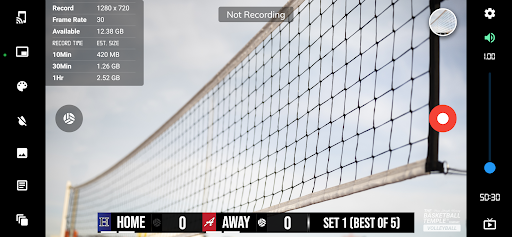
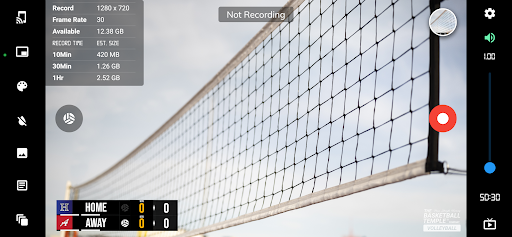
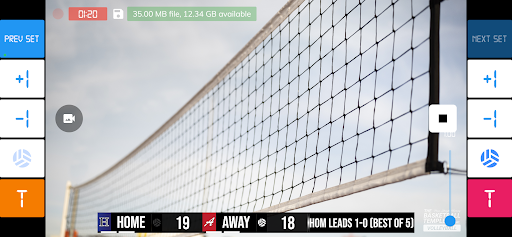
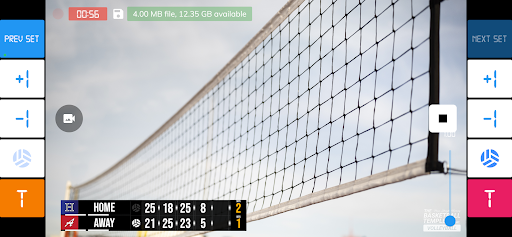
- Record volleyball games with score overlay
- Livestream options
- All-in-one score control directly within app
- Optionally remotely control score with BT Volleyball Controller as remote
- Custom branding watermark and team logos
- Add custom advertisement images during breaks
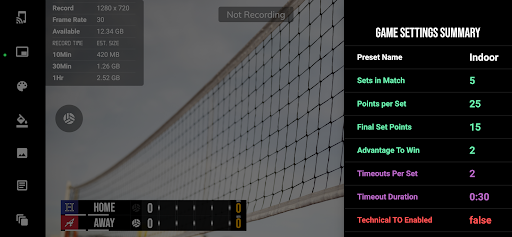
BT Volleyball Camera is a volleyball game recording app that includes set, score, timeout timers, and brand overlays on top of video. BT Volleyball Camera connects seamlessly into the BT Volleyball apps system (e.g. with the the BT Volleyball Scoreboard app, and more) for synchronization of time and score across all devices and remote control. In addition, choose custom pictures from your gallery to display during timeouts! This could be used for custom advertising in your volleyball games. Upgrade your volleyball game footage today with the BT Volleyball Camera and Scoreboard apps!
The BT Volleyball Camera app was created by The Basketball Temple Company. After the success of our basketball products, we have expanded into other sports. The Basketball Temple Company focuses on high quality academies, leagues, and technologies that are used to support those academies and leagues. We open our technology to the public so everyone in the sports community can experience the same technologies that we use within our institutions.
YouTube Tutorials at: https://www.youtube.com/@basketballtemple
Feel free to contact us at support@basketballtemple.com
Privacy Policy: https://www.basketballtemple.com/privacy
- Livestream options
- All-in-one score control directly within app
- Optionally remotely control score with BT Volleyball Controller as remote
- Custom branding watermark and team logos
- Add custom advertisement images during breaks
BT Volleyball Camera is a volleyball game recording app that includes set, score, timeout timers, and brand overlays on top of video. BT Volleyball Camera connects seamlessly into the BT Volleyball apps system (e.g. with the the BT Volleyball Scoreboard app, and more) for synchronization of time and score across all devices and remote control. In addition, choose custom pictures from your gallery to display during timeouts! This could be used for custom advertising in your volleyball games. Upgrade your volleyball game footage today with the BT Volleyball Camera and Scoreboard apps!
The BT Volleyball Camera app was created by The Basketball Temple Company. After the success of our basketball products, we have expanded into other sports. The Basketball Temple Company focuses on high quality academies, leagues, and technologies that are used to support those academies and leagues. We open our technology to the public so everyone in the sports community can experience the same technologies that we use within our institutions.
YouTube Tutorials at: https://www.youtube.com/@basketballtemple
Feel free to contact us at support@basketballtemple.com
Privacy Policy: https://www.basketballtemple.com/privacy
Developer email
support@basketballtemple.com
Developer website
https://www.basketballtemple.com/technologiesReleased
Jan 21, 2024
Current version
1196
Android version
7.0
Reviews & Ratings
4.7
out of 5
5
4
3
2
1
🌟 Loved by users
53 reviewsScreenshots