Sketch Photo: Learn to Draw
APSOFT HKT

2.8 stars1,617 reviews10,000,000+Free
Art & DesignEveryoneVersion 1.2.7Updated 4/22/2026, 12:02:09 PM
Open in StoreWelcome to our Sketch Photo: Learn to Draw app!
Sketch photo drawing - brings your creativity to life through augmented reality. Enjoy the perfect feature in sketching - trace sketch app:
✍️ Sketch Photo:
- Easy to learn draw and sketch any picture.
- Choose a photo from category or upload photo from your gallery
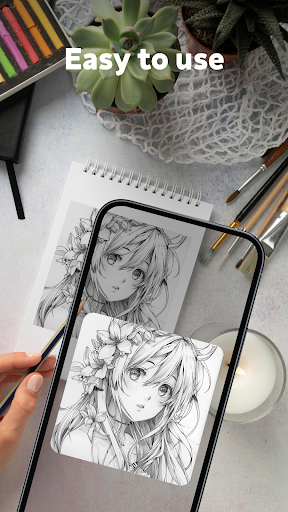
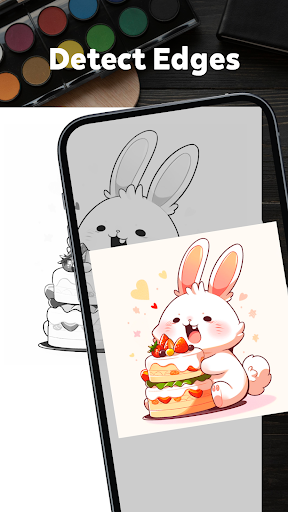
- Transforming sketches into art is made easy by using the drawing sketch app to trace images, whether it's cartoons, buildings, objects, or eyes, onto tracing paper.
✍️ Various Categories:
- A wide range of categories to inspire your artistic endeavors: hot trending, Christmas, Animal, Heart, Food, People...
✍️ Customization Options:
- Tailor your drawings to perfection with customization options: brush sizes, colors, opacity...
✍️ How to use the sketch art app to sketch photo?
- Open the sketch and draw app
- Choose the picture you want to draw
- Put the phone on the cup or anything so that it is parallel to the table
- The picture will be inverted and you can sketch from it.
So easy to sketch photo as you want. Try the painting art sketch app today!
This sketch drawing app seamlessly combines the art of sketching with the precision of tracing, providing users with a unique and immersive drawing experience. Thanks for choosing the ai drawing sketch app!
Sketch photo drawing - brings your creativity to life through augmented reality. Enjoy the perfect feature in sketching - trace sketch app:
✍️ Sketch Photo:
- Easy to learn draw and sketch any picture.
- Choose a photo from category or upload photo from your gallery
- Transforming sketches into art is made easy by using the drawing sketch app to trace images, whether it's cartoons, buildings, objects, or eyes, onto tracing paper.
✍️ Various Categories:
- A wide range of categories to inspire your artistic endeavors: hot trending, Christmas, Animal, Heart, Food, People...
✍️ Customization Options:
- Tailor your drawings to perfection with customization options: brush sizes, colors, opacity...
✍️ How to use the sketch art app to sketch photo?
- Open the sketch and draw app
- Choose the picture you want to draw
- Put the phone on the cup or anything so that it is parallel to the table
- The picture will be inverted and you can sketch from it.
So easy to sketch photo as you want. Try the painting art sketch app today!
This sketch drawing app seamlessly combines the art of sketching with the precision of tracing, providing users with a unique and immersive drawing experience. Thanks for choosing the ai drawing sketch app!
Developer email
raquelione166@gmail.com
Developer website
https://thietkehieuthuoc.com/Released
Jan 8, 2026
Current version
1.2.7
Android version
6.0
Reviews & Ratings
2.8
out of 5
5
4
3
2
1
😕 Lower user ratings overall
1,617 reviewsScreenshots