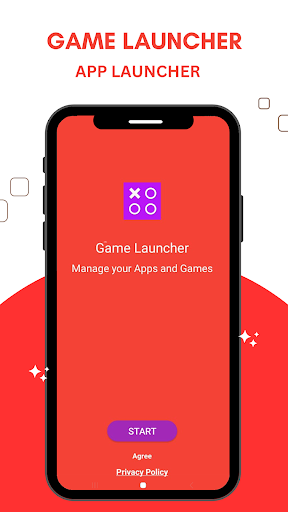
Game Launcher : App Launcher
AppsWind Studio

3.9 stars31,819 reviews5,000,000+Free
ToolsEveryoneVersion 1.5.5Updated 8/26/2026, 6:52:53 PM
Open in StoreSmart Game Launcher app & gaming hub for pro gamers.
Game Launcher App Launcher puts all your installed games in one place. Enjoy gaming experience and keep your apps and games organized in one place. You have to manually add your installed games and apps at one place and without hassle find and play your favorite games that you added. Game launcher is for pro gamers who want to keep their games organized and easily accessible. You can organize all of your games into one app and access them easily at any time. Unleash the ultimate Gaming Experience with Game Mode and FPS Settings
Easy to Find and play your games in the Game Launcher with one tap! First you have to add your installed games in this app then you can use or play these added games. With Game launcher for android finds and play any of your games without having to search through multiple apps. hassle free gaming experience.
How to Use Game Launcher 2023 for Android
✓ Click on + Button to add game to the gaming hub
✓ Enable Gaming Mode (If Required)
✓ Enable DND mode Distraction Control (If Required)
✓ Tab on the game that you want to play
✓Tab On Cross icon to remove the game from the game launcher app
We doesn't share your data to the third parties, All permission required to the smooth functionality of the app.
Game Launcher App Launcher puts all your installed games in one place. Enjoy gaming experience and keep your apps and games organized in one place. You have to manually add your installed games and apps at one place and without hassle find and play your favorite games that you added. Game launcher is for pro gamers who want to keep their games organized and easily accessible. You can organize all of your games into one app and access them easily at any time. Unleash the ultimate Gaming Experience with Game Mode and FPS Settings
Easy to Find and play your games in the Game Launcher with one tap! First you have to add your installed games in this app then you can use or play these added games. With Game launcher for android finds and play any of your games without having to search through multiple apps. hassle free gaming experience.
How to Use Game Launcher 2023 for Android
✓ Click on + Button to add game to the gaming hub
✓ Enable Gaming Mode (If Required)
✓ Enable DND mode Distraction Control (If Required)
✓ Tab on the game that you want to play
✓Tab On Cross icon to remove the game from the game launcher app
We doesn't share your data to the third parties, All permission required to the smooth functionality of the app.
Developer email
dev.appswindstudio@gmail.com
Developer website
https://ya333501f.app-ads-txt.com/app-ads.txtReleased
Aug 3, 2023
Current version
1.5.5
Android version
6.0
Reviews & Ratings
3.9
out of 5
5
4
3
2
1
⚠️ Users report mixed experiences
31,819 reviewsScreenshots