Air Play: Cast to TV
Shadow soft

2.7 stars772 reviews100,000+Free
Libraries & DemoEveryoneVersion 41.0Updated 4/3/2026, 3:32:13 AM
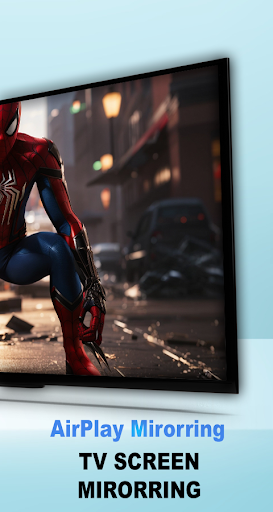
Open in StoreAir Play: Cast to TV for Android enables seamless screen mirroring and wireless streaming, letting you connect your Android device to a variety of TVs and AirPlay-compatible devices. Whether it's a Samsung AirPlay TV, an Apple TV, or AirPlay speakers, this app has you covered.
Features:
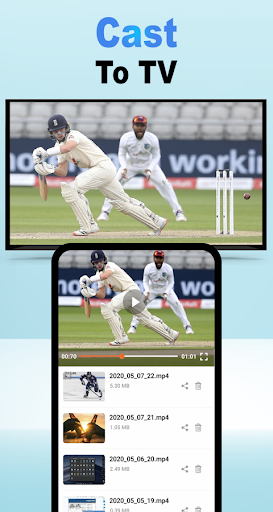
Air Play: Cast to TV : Use AirPlay to cast your favorite videos, photos, and music to a TV or compatible device using DLNA protocols, Chromecast, or other supported technologies
Wide Compatibility: Works with AirPlay for TV, Samsung AirPlay, and AirPlay receiver for TV.
Effortless Streaming: Enjoy seamless Apple TV streaming or connect to AirPlay-enabled devices like smart TVs and speakers.
How to Use Air Play: Cast to TV:
Open the app and choose the media you want to share photos, videos, or music.
Ensure your Android device and target device e.g., AirPlay 2 receiver, Samsung AirPlay TV, or Apple AirPlay speakers are on the same Wi-Fi network.
Select your target AirPlay receiver for TV or speaker from the device list.
Tap ‘Connect’ to enjoy flawless streaming, sharing, or gaming.
Whether you want to use AirPlay Samsung TV, stream movies to an Apple TV, or play music on AirPlay speakers, AirPlay Link makes it simple. Download today to experience a new level of streaming convenience!
Features:
Air Play: Cast to TV : Use AirPlay to cast your favorite videos, photos, and music to a TV or compatible device using DLNA protocols, Chromecast, or other supported technologies
Wide Compatibility: Works with AirPlay for TV, Samsung AirPlay, and AirPlay receiver for TV.
Effortless Streaming: Enjoy seamless Apple TV streaming or connect to AirPlay-enabled devices like smart TVs and speakers.
How to Use Air Play: Cast to TV:
Open the app and choose the media you want to share photos, videos, or music.
Ensure your Android device and target device e.g., AirPlay 2 receiver, Samsung AirPlay TV, or Apple AirPlay speakers are on the same Wi-Fi network.
Select your target AirPlay receiver for TV or speaker from the device list.
Tap ‘Connect’ to enjoy flawless streaming, sharing, or gaming.
Whether you want to use AirPlay Samsung TV, stream movies to an Apple TV, or play music on AirPlay speakers, AirPlay Link makes it simple. Download today to experience a new level of streaming convenience!
Developer email
support-contact@shadowsoft.space
Developer website
https://shadowsoft.spaceReleased
Jun 19, 2024
Current version
41.0
Android version
7.0
Reviews & Ratings
2.7
out of 5
5
4
3
2
1
🚫 Very low user satisfaction
772 reviewsScreenshots