ADCB
Abu Dhabi Commercial Bank

4.0 stars64,083 reviews1,000,000+Free
FinanceEveryoneVersion 21.4.0Updated 4/28/2026, 7:23:24 AM
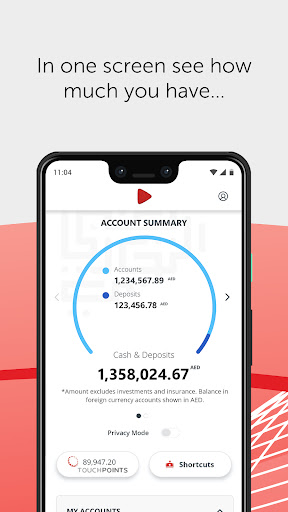
Open in StoreExperience the new and improved mobile banking app from ADCB. Enjoy seamless banking on-the-go with the enhanced features combined with an intuitive and user-friendly visual experience.
More power at your fingertips
- A simplified 'Payments and Transfers' section where you can view your beneficiaries and registered billers all in one screen
- Search Payees and Transaction History by name, amount and much more
- Dual language option in Arabic and English
Plus, you can continue to enjoy these services
- Balance Preview
- Bill Payment
- Funds Transfer
- Locate ADCB ATM and Branches
If you are a new ADCB Mobile App user or if you are using the app on a new device, register with the following steps:
- Download and launch the ADCB Mobile App
- When prompted, enter your ADCB Credit Card/Debit Card Number and PIN; enter the activation key that is sent to your registered mobile number
- Alternatively, you can enter your ADCB Customer ID and activation key which you can obtain through our Personal Internet Banking or the 24/7 Contact Centre
If you are an existing user, you will be prompted to enter your existing ADCB Mobile App password for authentication and biometric re-enrollment (handset dependent).
More power at your fingertips
- A simplified 'Payments and Transfers' section where you can view your beneficiaries and registered billers all in one screen
- Search Payees and Transaction History by name, amount and much more
- Dual language option in Arabic and English
Plus, you can continue to enjoy these services
- Balance Preview
- Bill Payment
- Funds Transfer
- Locate ADCB ATM and Branches
If you are a new ADCB Mobile App user or if you are using the app on a new device, register with the following steps:
- Download and launch the ADCB Mobile App
- When prompted, enter your ADCB Credit Card/Debit Card Number and PIN; enter the activation key that is sent to your registered mobile number
- Alternatively, you can enter your ADCB Customer ID and activation key which you can obtain through our Personal Internet Banking or the 24/7 Contact Centre
If you are an existing user, you will be prompted to enter your existing ADCB Mobile App password for authentication and biometric re-enrollment (handset dependent).
Developer email
riskandcontrolit@adcb.com
Developer website
http://www.adcb.comReleased
Mar 31, 2013
Current version
21.4.0
Android version
9
Reviews & Ratings
4.0
out of 5
5
4
3
2
1
⚠️ Users report mixed experiences
64,083 reviewsScreenshots