Home Designer - Architecture
Sebastian Kemper

4.2 stars1,281 reviews100,000+Free
House & HomeEveryoneVersion 2.5Updated 10/11/2025, 10:19:30 AM
Open in StoreWould you like to create a 3D floor plan quickly and easily and maybe even set it up with modern furniture?
Then you have found exactly the right software with Home Designer - Architecture.
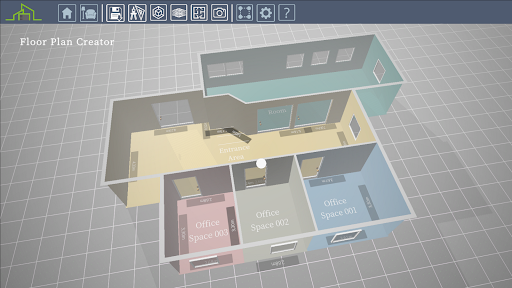
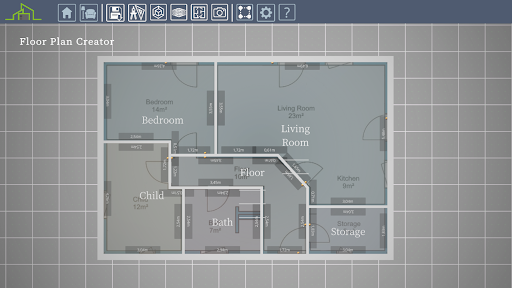
You can quickly create rooms and entire floor plans with just a few clicks. You can even import an image file as a template, where you may have already drawn a 2D floor plan, to redraw it in Home Designer - Architecture.
You can insert doors and windows and change their design and size.
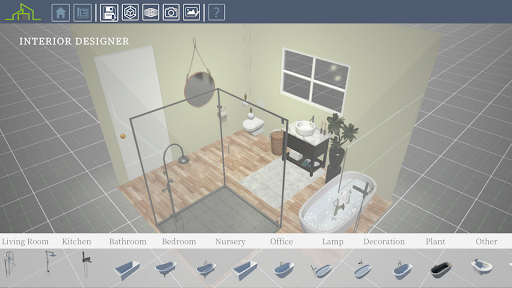
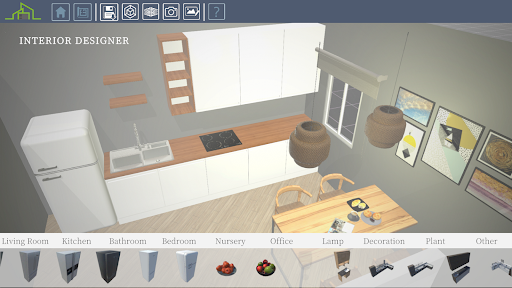
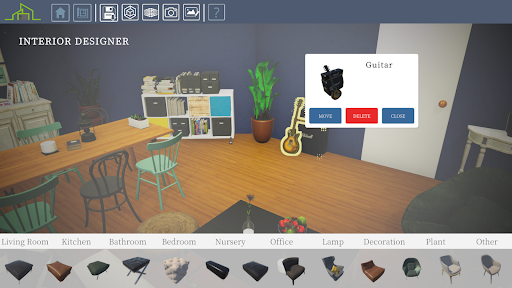
Once your floor plan is complete, it's time for the interior design. Here you have over 1000 pieces of furniture that you can use to set up your 3D floor plan.
Once the interior design is finished, use the photo editor and the photo function to create dreamy pictures of your work.
1. CREATE YOUR 3D FLOOR PLAN
- Draw rooms in 2D or 3D
- Import a 2D drawing as a template
- Change the height of the room and the thickness of the walls (inside and outside)
- Create doors and windows (fully configurable)
- Use the photo function to record your floor plan from different perspectives
2. INTERIOR DESIGN
- Use over 1000 different furniture and accessories and decorate your 3D floor plan
- Furniture can also be resized
- Use numerous wall colors and floor designs
- Use image editing to make your result even more realistic
- Use the photo function to capture and share your design
I wish you a lot of fun with Home Designer - Architecture!
Then you have found exactly the right software with Home Designer - Architecture.
You can quickly create rooms and entire floor plans with just a few clicks. You can even import an image file as a template, where you may have already drawn a 2D floor plan, to redraw it in Home Designer - Architecture.
You can insert doors and windows and change their design and size.
Once your floor plan is complete, it's time for the interior design. Here you have over 1000 pieces of furniture that you can use to set up your 3D floor plan.
Once the interior design is finished, use the photo editor and the photo function to create dreamy pictures of your work.
1. CREATE YOUR 3D FLOOR PLAN
- Draw rooms in 2D or 3D
- Import a 2D drawing as a template
- Change the height of the room and the thickness of the walls (inside and outside)
- Create doors and windows (fully configurable)
- Use the photo function to record your floor plan from different perspectives
2. INTERIOR DESIGN
- Use over 1000 different furniture and accessories and decorate your 3D floor plan
- Furniture can also be resized
- Use numerous wall colors and floor designs
- Use image editing to make your result even more realistic
- Use the photo function to capture and share your design
I wish you a lot of fun with Home Designer - Architecture!
Developer email
contact.kemper.apps@gmail.com
Developer website
https://www.kemper-apps.com/Released
Jul 27, 2022
Current version
2.5
Android version
6.0
Reviews & Ratings
4.2
out of 5
5
4
3
2
1
🙂 Mostly positive reviews
1,281 reviewsScreenshots